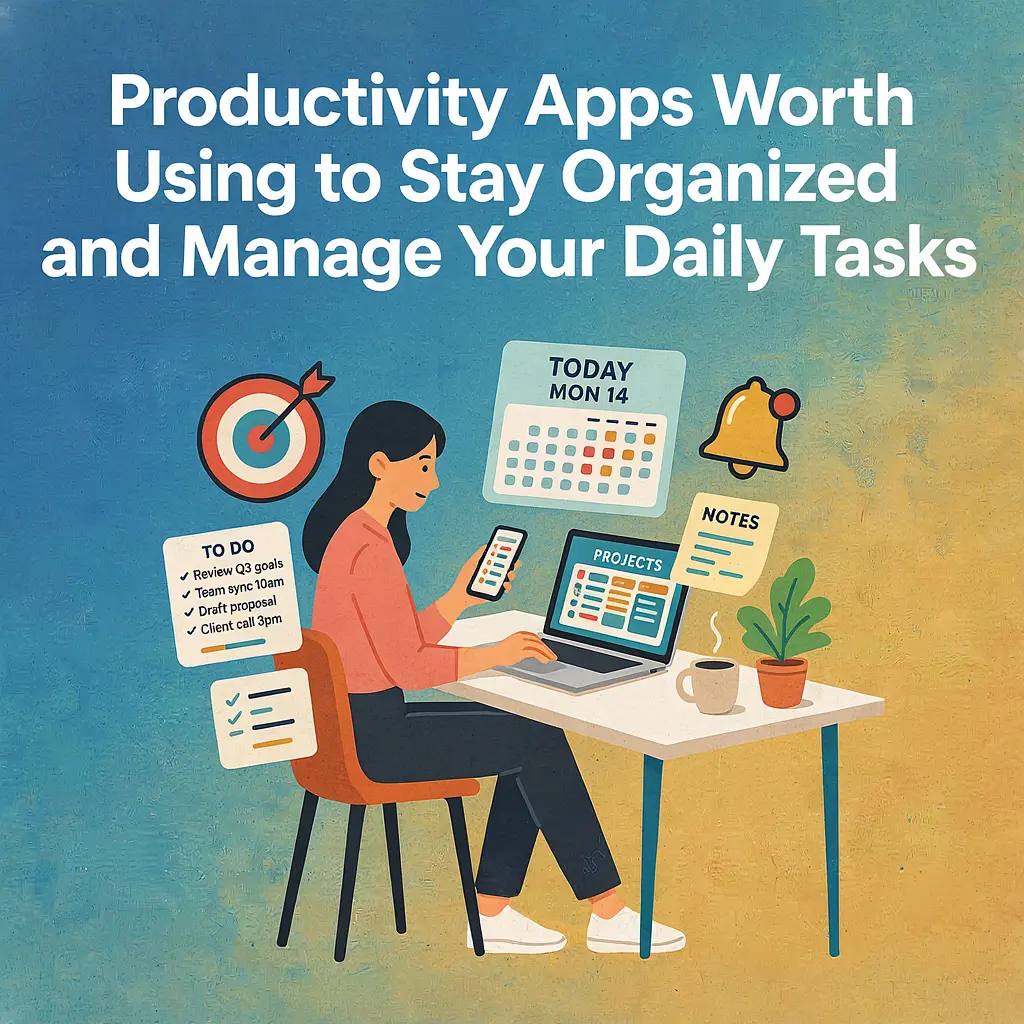
Staying organized has never been more challenging, or more important. Between work deadlines, school assignments, household responsibilities, appointments, and personal goals, it's easy to feel like you're constantly playing catch-up. A forgotten task here or a missed deadline there can quickly snowball into unnecessary stress, leaving you overwhelmed before the day has even ended.
That's where productivity apps come in. Far from being just another download on your phone, today's best productivity tools are designed to simplify your life. They help you organize tasks, manage projects, take notes, set reminders, collaborate with others, and keep everything you need in one place. Instead of relying on sticky notes, scattered notebooks, or your memory, you can build a reliable system that keeps your priorities clear and your schedule under control.
The good news is that there isn't a one-size-fits-all solution. Some apps excel at creating simple to-do lists, while others offer complete workspaces with calendars, databases, habit trackers, and project management features. Whether you're a student trying to balance coursework, a freelancer managing multiple clients, a busy parent coordinating family schedules, or a professional working remotely, there's a productivity app built to match your workflow.
Choosing the right one, however, can be overwhelming. With dozens of popular options available, it's difficult to know which apps are genuinely helpful and which simply add more complexity to your day. The best productivity tool isn't necessarily the one with the most features, it's the one you'll consistently use because it fits naturally into your routine.
In this guide, we'll explore some of the best productivity apps worth using to stay organized and manage your daily tasks. We'll compare their strengths, discuss who they're best suited for, highlight the features that truly make a difference, and share practical tips for building a productivity system that actually works. By the end, you'll have a clear understanding of which app can help you stay focused, reduce stress, and make every day a little more manageable.
Why Productivity Apps Matter More Than Ever
Modern life moves at a relentless pace. Emails arrive around the clock, messages demand instant replies, meetings fill our calendars, and personal responsibilities compete for our attention. With so many moving parts, it's no surprise that many people feel busy all day yet struggle to make meaningful progress on what matters most.
One of the biggest advantages of productivity apps is that they give your brain a break. Instead of trying to remember every appointment, grocery item, work deadline, or brilliant idea, you can capture everything in a trusted system. This frees up mental energy for problem-solving, creativity, and focused work rather than constantly worrying about what you might be forgetting.
Another reason these apps have become essential is the rise of remote and hybrid work. Many people now collaborate with teammates across different cities or even different countries. Productivity apps make it easier to assign tasks, track project progress, share files, and communicate without endless email chains or confusing spreadsheets. Even if you work alone, having a centralized workspace helps keep your projects organized and your goals visible.
These tools also encourage better time management. Features like recurring reminders, due dates, calendar integrations, and priority levels help you plan your day more intentionally instead of reacting to whatever seems most urgent. Rather than feeling overwhelmed by a long list of responsibilities, you can break large projects into manageable steps and tackle them one task at a time.
Beyond work, productivity apps are equally valuable in everyday life. You can organize shopping lists, plan vacations, track personal goals, schedule appointments, manage household chores, or even build healthier habits. Keeping everything in one place reduces clutter and helps create routines that are easier to maintain over time.
Perhaps the greatest benefit is peace of mind. Knowing that your important tasks, deadlines, and ideas are safely stored in an organized system allows you to focus on the present moment instead of constantly trying to remember what's next. Over time, this simple shift can reduce stress, improve consistency, and help you feel more in control of both your professional and personal life.
What Makes a Great Productivity App?
Not every productivity app deserves a place on your home screen. While many promise to help you get more done, the best ones share a handful of qualities that make organizing your daily life feel effortless rather than overwhelming. Before downloading the latest trending app, it's worth understanding the features that actually improve productivity.
Easy to Use
A productivity app should simplify your life, not require hours of tutorials before you can use it. The best apps have clean layouts, intuitive navigation, and straightforward features that allow you to start adding tasks or notes within minutes. If an app feels confusing from the beginning, you're far less likely to stick with it.
Cross-Device Syncing
Most people switch between multiple devices throughout the day, whether it's a smartphone, tablet, laptop, or desktop computer. A reliable productivity app automatically syncs your information across every device, ensuring your tasks, reminders, and notes are always up to date wherever you are.
Flexible Customization
Everyone organizes information differently. Some people prefer simple checklists, while others rely on folders, tags, labels, colors, or detailed project boards. A great productivity app gives you the flexibility to customize your workspace so it matches the way your brain naturally thinks and works.
Smart Reminders and Notifications
Even the most organized people occasionally forget important deadlines. Effective reminders help you stay ahead of appointments, recurring tasks, bill payments, and meetings without becoming overwhelming. The best apps let you customize when and how you're notified, helping you stay informed without constant interruptions.
Collaboration Features
If you work with coworkers, classmates, family members, or clients, collaboration tools become incredibly valuable. Being able to assign tasks, share project boards, leave comments, upload files, and track progress in one place eliminates confusion and keeps everyone aligned.
Calendar Integration
A strong productivity app works seamlessly with your calendar rather than existing separately from it. Integrating your tasks with your schedule helps you visualize upcoming deadlines, avoid conflicts, and better plan your day. Seeing your responsibilities alongside meetings and appointments creates a more realistic picture of your available time.
Reliable Performance
The last thing you need is an app that crashes, loses data, or struggles to load when you're in the middle of an important task. Reliability is often overlooked, but it's one of the most important qualities of any productivity tool. Fast syncing, regular updates, and dependable performance build trust over time.
Affordable Pricing
Many excellent productivity apps offer generous free plans that include enough features for most users. Premium subscriptions can unlock advanced tools like automation, larger storage limits, team collaboration, or AI-powered assistance, but they should provide genuine value rather than charging simply for basic functionality.
Ultimately, the best productivity app isn't the one packed with the most features, it's the one that fits naturally into your daily routine. A simple app that you use consistently will almost always outperform a feature-rich platform that feels too complicated to maintain.
Best Productivity Apps Worth Trying
With hundreds of productivity apps available today, finding the right one can feel overwhelming. The good news is that you don't need to try them all. The apps below have earned strong reputations because they solve real organizational problems, whether you're managing personal tasks, leading a team, planning school assignments, or balancing multiple projects at once.
Each app has its own strengths, so the best choice depends on your workflow, preferences, and the level of organization you're looking for.
Todoist
If you're looking for a simple yet powerful task manager, Todoist is one of the best places to start. Its clean interface makes it easy to create projects, organize tasks, set priorities, and schedule deadlines without feeling cluttered.
One standout feature is natural language input. Instead of manually selecting dates, you can type something like "Submit report every Friday at 4 PM," and Todoist automatically creates the recurring task. The app also offers labels, filters, productivity tracking, and integrations with popular services like Google Calendar, Slack, and Gmail.
Best for: Individuals, students, and professionals who want an easy-to-use task management system.
Pros:
- Clean and beginner-friendly interface
- Excellent recurring task management
- Powerful organization tools
- Available on almost every platform
Cons:
- Some advanced features require a Premium subscription.
- Limited note-taking compared to all-in-one workspaces.
Notion
Notion has become one of the most popular productivity platforms because it combines notes, task management, databases, calendars, wikis, and project planning into a single workspace. Instead of switching between several apps, you can organize nearly every aspect of your personal or professional life in one place.
Its flexibility is both its greatest strength and its biggest learning curve. You can build custom dashboards, habit trackers, content calendars, CRM systems, study planners, and project management boards using templates or your own designs.
Best for: Power users, content creators, students, startups, and teams.
Pros:
- Extremely customizable
- Combines multiple tools into one platform
- Huge library of templates
- Excellent collaboration features
Cons:
- Can feel overwhelming for beginners.
- Requires some setup before becoming fully useful.
Trello
Trello takes a visual approach to organization using Kanban boards. Projects are divided into columns such as "To Do," "In Progress," and "Completed," making it incredibly easy to track the status of tasks at a glance.
Cards can include checklists, attachments, comments, due dates, and labels, making Trello especially useful for collaborative projects and workflow management.
Best for: Teams, project managers, freelancers, and visual planners.
Pros:
- Very intuitive interface
- Excellent for visual organization
- Great collaboration tools
- Easy to automate repetitive workflows
Cons:
- Less effective for complex project management.
- Large boards can become crowded over time.
Microsoft To Do
Microsoft To Do focuses on simplicity. It's designed for users who want straightforward task management without unnecessary complexity. Its "My Day" feature encourages you to plan each day individually, helping you stay focused on your most important priorities.
Because it integrates seamlessly with Outlook and the Microsoft 365 ecosystem, it's especially useful for professionals already using Microsoft's suite of productivity tools.
Best for: Office workers and Microsoft users.
Pros:
- Completely free
- Simple and easy to learn
- Excellent Outlook integration
- Cross-device synchronization
Cons:
- Limited advanced project management features.
- Fewer customization options than competitors.
Google Keep
Sometimes you don't need a complex productivity system, you simply need somewhere to quickly save an idea before you forget it. That's where Google Keep shines.
Google Keep allows you to create notes, checklists, voice recordings, photos, and reminders within seconds. Color-coded labels and search functionality make finding information surprisingly easy.
Best for: Quick notes, shopping lists, reminders, and everyday organization.
Pros:
- Extremely fast and lightweight
- Completely free
- Excellent Google ecosystem integration
- Voice note support
Cons:
- Not ideal for managing large projects.
- Limited formatting and organization options.
TickTick
TickTick strikes an impressive balance between simplicity and advanced functionality. At first glance, it looks like a standard task manager, but beneath its clean design are features that help users build productive routines instead of simply checking off to-do lists.
In addition to creating tasks and setting reminders, TickTick includes a built-in calendar, habit tracker, Pomodoro timer, Eisenhower Matrix, and smart lists that automatically organize your work. Having all of these tools in one app means you can plan your day, stay focused, and monitor your habits without constantly switching between different applications.
Best for: Productivity enthusiasts, students, freelancers, and anyone who enjoys planning their day in detail.
Pros:
- Excellent combination of task management and habit tracking
- Built-in Pomodoro timer for focused work sessions
- Clean, modern interface
- Powerful free version with useful premium upgrades
Cons:
- Some advanced planning features require a Premium subscription.
- The large number of features may take time to fully explore.
Evernote
Evernote has been helping people stay organized for years and remains one of the most trusted digital note-taking apps available. While many newer competitors have entered the market, Evernote continues to excel at collecting, organizing, and searching large amounts of information.
You can create notebooks for different areas of your life, save web articles with its web clipper, scan documents, attach PDFs, and organize everything using tags. One of Evernote's biggest strengths is its powerful search function, which makes finding old notes surprisingly quick, even if you've built a massive digital library over time.
Best for: Researchers, writers, professionals, and users who store large amounts of notes and reference material.
Pros:
- Excellent search capabilities
- Powerful web clipping tool
- Organizes documents, notes, and PDFs efficiently
- Works across multiple devices
Cons:
- Premium plans can be more expensive than some competitors.
- Task management features aren't as robust as dedicated to-do apps.
ClickUp
ClickUp is one of the most comprehensive productivity platforms on the market. Designed for individuals, teams, and businesses, it combines task management, project planning, documents, goals, calendars, dashboards, time tracking, and collaboration tools into one highly customizable workspace.
Its flexibility allows users to manage everything from personal to-do lists to large company projects involving dozens of team members. While this makes ClickUp incredibly powerful, it also means new users may need a little time to learn the platform.
For businesses, agencies, startups, and freelancers juggling multiple clients or projects, ClickUp can replace several separate productivity tools while keeping everything connected in one place.
Best for: Businesses, project managers, agencies, startups, and advanced productivity users.
Pros:
- Extremely feature-rich
- Excellent project management capabilities
- Highly customizable dashboards and workflows
- Strong collaboration and reporting tools
- Generous free plan
Cons:
- Steeper learning curve than simpler apps.
- Can feel overwhelming if you only need basic task management.
No single productivity app is perfect for everyone. Some people only need a simple checklist to stay organized, while others benefit from comprehensive workspaces that manage projects, documents, calendars, and collaboration all in one place. The key is to choose an app that complements your daily habits rather than complicating them. A tool that feels natural to use every day will almost always help you stay more organized than one packed with features you'll rarely touch.
Which Productivity App Is Best for Different Types of People?
The "best" productivity app depends less on its popularity and more on how well it fits your lifestyle. A college student has different organizational needs than a freelancer, and a small business owner manages responsibilities that differ from those of a busy parent. Choosing an app that aligns with your daily routine will make it much easier to build lasting habits and stay organized over time.
Students
Students often juggle classes, assignments, exams, extracurricular activities, and personal commitments all at once. A productivity app should help them keep track of deadlines while providing enough flexibility to organize study materials.
Recommended apps:
- Todoist for managing assignments and deadlines.
- Notion for organizing lecture notes, study schedules, research, and class projects.
- Google Keep for quickly capturing ideas, reminders, or revision notes.
These apps make it easier to break large assignments into smaller tasks, reducing procrastination and helping students stay ahead of deadlines.
Remote Workers
Working from home offers flexibility, but it also requires self-discipline. Without a structured office environment, it's easy for meetings, emails, and personal responsibilities to overlap.
Recommended apps:
- Microsoft To Do for daily task planning.
- ClickUp for managing projects and collaborating with teammates.
- TickTick for combining task management with time-blocking and focused work sessions.
Using these apps together, or choosing one that meets most of your needs, can help remote workers stay focused while maintaining a healthy work-life balance.
Freelancers
Freelancers often wear multiple hats. In a single day, they may communicate with clients, send invoices, complete projects, market their services, and handle administrative work. Staying organized is essential when every missed deadline can affect client relationships.
Recommended apps:
- ClickUp for managing multiple clients and projects.
- Todoist for keeping track of deadlines and recurring tasks.
- Notion for storing contracts, content ideas, project notes, and business documentation.
These tools help freelancers separate client work from personal responsibilities while keeping everything accessible from one place.
Small Business Owners
Running a business involves much more than completing daily tasks. Owners often oversee employees, monitor projects, manage finances, coordinate marketing efforts, and plan for future growth. Productivity apps help centralize these responsibilities and improve communication across teams.
Recommended apps:
- ClickUp for comprehensive business management.
- Trello for visual project tracking.
- Notion for internal documentation, standard operating procedures, and knowledge management.
Having a centralized workspace reduces confusion and allows teams to collaborate more efficiently.
Busy Parents
Parents balance school schedules, appointments, grocery shopping, household chores, family events, and work commitments, all while adapting to unexpected changes. A simple productivity system can make everyday life much more manageable.
Recommended apps:
- Google Keep for shopping lists and quick reminders.
- Microsoft To Do for family task lists and recurring chores.
- Todoist for coordinating personal and household responsibilities.
Simple shared lists and reminders ensure everyone knows what needs to be done, helping families stay organized without adding unnecessary complexity.
No matter your profession or lifestyle, the most effective productivity app is the one you'll consistently use. It's better to master one reliable tool than to constantly switch between multiple apps searching for the "perfect" solution. Building consistent habits around a single, well-chosen app is often the biggest step toward becoming more organized and productive.
Features You Should Actually Use
Most productivity apps come packed with dozens of features, but the truth is that you probably won't need all of them. It's easy to get distracted by advanced dashboards, complex automations, and endless customization options, only to spend more time organizing your system than actually getting work done.
Instead of trying to master every feature, focus on the tools that have the biggest impact on your daily routine. These core features can help you stay organized, reduce stress, and consistently complete your most important tasks.
Recurring Tasks
Not everything on your to-do list is a one-time job. Paying bills, exercising, grocery shopping, weekly meetings, and household chores all happen on a regular schedule.
Recurring tasks automatically recreate themselves after completion, saving you from manually entering the same reminders every week or month. This simple feature helps ensure that important routines never slip through the cracks.
Due Dates
Adding due dates gives your tasks a clear sense of urgency. Instead of maintaining a long list of vague responsibilities, deadlines help you prioritize what needs attention first.
Many productivity apps also display overdue tasks prominently, making it easier to stay accountable and avoid missing important commitments.
Labels and Tags
As your task list grows, organization becomes increasingly important. Labels and tags allow you to group related tasks together regardless of where they appear.
For example, you might create tags such as:
- Work
- Personal
- School
- Health
- Finance
- Shopping
- Urgent
This makes filtering and finding specific tasks much faster, especially when managing multiple areas of your life.
Priority Levels
Not every task deserves the same amount of attention. Responding to an important client email is likely more urgent than reorganizing your desk.
Using priority levels helps you focus on high-impact work before less important activities. Many apps use color-coded priorities, making your most critical tasks stand out immediately.
Calendar Integration
Connecting your productivity app to your calendar provides a complete view of your schedule. You'll be able to see meetings, appointments, deadlines, and personal commitments all in one place.
This makes planning your day much easier and helps prevent overbooking or unrealistic workloads.
Widgets
Home screen widgets provide instant access to your tasks without opening the app. Whether you're checking today's priorities or quickly adding a reminder, widgets save valuable time and keep your goals visible throughout the day.
Sometimes simply seeing your task list every time you unlock your phone is enough motivation to stay on track.
Keyboard Shortcuts
If you spend much of your day working on a computer, keyboard shortcuts can dramatically speed up task management. Quickly creating tasks, searching projects, or marking items as complete saves time that adds up over weeks and months.
Power users often rely on shortcuts to maintain their workflow without constantly reaching for the mouse.
Automation
Automation removes repetitive work from your routine. Depending on the app, you can automatically assign recurring tasks, move completed items between project stages, send reminders, or trigger workflows based on specific conditions.
While automation isn't essential for everyone, it becomes increasingly valuable as your workload grows and your projects become more complex.
Rather than trying to use every available feature from day one, start with the basics. Build the habit of consistently adding tasks, setting due dates, and reviewing your list daily. As your productivity system becomes part of your routine, you can gradually introduce more advanced tools like automation, custom filters, and integrations. Simplicity and consistency will almost always outperform a complicated system that's difficult to maintain.
Tips for Staying Organized Without App Overload
Productivity apps are meant to make life easier, but using too many of them can have the opposite effect. It's surprisingly common for people to install several task managers, note-taking apps, calendars, and habit trackers, only to spend more time switching between platforms than actually completing their work.
The goal isn't to find every productivity tool available, it's to build a simple system that you can maintain consistently. These practical tips will help you stay organized without falling into the trap of app overload.
Choose One Main Task Manager
Resist the temptation to spread your tasks across multiple apps. If today's to-do list is in one app, tomorrow's reminders are in another, and your project deadlines live somewhere else, you're more likely to miss something important.
Select one primary app for managing your tasks and stick with it. You can always use other tools for specific purposes, but your main task list should have one permanent home.
Keep Your Organization System Simple
You don't need dozens of folders, labels, or color codes to stay productive. In fact, overly complicated systems often become difficult to maintain.
Start with a few basic categories, such as:
- Work
- Personal
- Health
- Finance
- Shopping
You can always add more organization later if you genuinely need it.
Review Your Tasks Every Day
One of the most effective productivity habits takes less than five minutes.
At the beginning or end of each day:
- Review completed tasks.
- Update deadlines if necessary.
- Add any new responsibilities.
- Decide what your top priorities are for tomorrow.
Daily reviews prevent small tasks from becoming forgotten obligations.
Archive Completed Projects
Completed projects don't need to clutter your workspace forever. Most productivity apps allow you to archive finished work while keeping it available for future reference.
A cleaner workspace makes it easier to focus on current priorities instead of scrolling through outdated projects.
Turn Off Unnecessary Notifications
Notifications are useful, but only when they provide meaningful reminders. Constant alerts for every minor update can become distracting and reduce your ability to focus.
Customize your notifications so you're only alerted about important deadlines, upcoming appointments, or high-priority tasks.
Build Habits Before Adding Features
Many users immediately start experimenting with automation, integrations, templates, and advanced workflows. While these features can be helpful, they won't improve productivity if you haven't developed consistent habits first.
Focus on using your app every day. Once checking your task list becomes second nature, you can gradually introduce more advanced features to improve your workflow.
Avoid Constantly Switching Apps
It's easy to believe the next trending productivity app will finally solve all your organizational problems. In reality, constantly migrating your tasks from one platform to another usually creates more work than it saves.
Unless your current app genuinely no longer meets your needs, give it enough time to become part of your routine. Consistency is far more valuable than chasing new features.
Remember That the App Isn't the Goal
A productivity app is simply a tool. Its purpose is to help you spend less time organizing and more time accomplishing meaningful work.
The most productive people aren't necessarily using the most sophisticated software, they're using systems they trust, reviewing them regularly, and taking action on what matters most.
By keeping your setup simple, maintaining consistent habits, and resisting the urge to overcomplicate your workflow, you'll build an organization system that's sustainable, efficient, and far easier to stick with over the long term.
Common Productivity Mistakes to Avoid
Even the best productivity app can't compensate for ineffective habits. Many people download a new app with great intentions, only to abandon it after a few weeks because they unknowingly fall into common productivity traps. Avoiding these mistakes will help you get far more value from whichever app you choose.
Spending More Time Organizing Than Doing
One of the biggest productivity paradoxes is spending hours creating the "perfect" system instead of actually completing your work.
Color-coding every task, redesigning dashboards, and endlessly tweaking folders may feel productive, but they rarely move your projects forward. Your productivity app should support your work, not become the work itself.
A simple system that you consistently use will almost always outperform an elaborate setup that demands constant maintenance.
Creating Too Many Categories
At first, organizing tasks into categories seems helpful. However, having dozens of folders, labels, and project lists quickly becomes confusing.
Instead of creating categories for every possible situation, keep your structure broad and manageable. Most people only need a handful of labels such as Work, Personal, Health, Finance, and Shopping.
The easier it is to file a task, the more likely you'll actually use the system.
Ignoring Regular Reviews
Adding tasks is only half the process. If you never review your list, completed items pile up, outdated reminders linger, and important deadlines get buried.
Set aside a few minutes each day to review your tasks and a little more time once a week to clean up your workspace, archive completed projects, and adjust priorities. These regular check-ins keep your system accurate and useful.
Depending Entirely on Reminders
Notifications are helpful, but they shouldn't become your only productivity strategy.
If every task depends on a reminder before you notice it, you're constantly reacting instead of planning. Make it a habit to check your productivity app intentionally throughout the day rather than waiting for alerts to tell you what to do next.
Combining reminders with daily planning creates a much more reliable workflow.
Constantly Switching Apps
It's tempting to believe that a new productivity app will instantly solve your organizational problems. Every few months, another tool promises smarter automation, cleaner interfaces, or revolutionary features.
In reality, constantly migrating your tasks wastes time and prevents you from building consistent habits. Before switching, ask yourself whether the problem lies with the app, or simply with how consistently you're using it.
Most well-designed productivity apps are capable of handling everyday task management. Success usually comes from commitment, not constant replacement.
Filling Your Task List With Everything
Some people add every idea, wish, and possibility to their task manager until it becomes overwhelming. A list containing hundreds of unfinished tasks can feel discouraging rather than motivating.
Focus on active responsibilities and realistic priorities. Archive outdated projects, remove tasks that no longer matter, and break large goals into smaller, achievable steps. A shorter, focused list is much easier to act on than an endless collection of vague ambitions.
Forgetting to Prioritize
Treating every task as equally important often leads to busy days with little meaningful progress.
Each morning, identify two or three high-impact tasks that deserve your full attention. Completing these first creates momentum and ensures your most valuable work doesn't get pushed aside by smaller, less important activities.
Avoiding these common mistakes doesn't require a new app or a complicated productivity method. It simply requires consistent habits, regular reviews, and a willingness to keep your system simple. When your productivity tool supports your workflow instead of complicating it, staying organized becomes far more sustainable.
Free vs Premium Productivity Apps
One of the first questions people ask before downloading a productivity app is whether the free version is enough or if it's worth paying for a premium subscription. The answer depends on how you use the app and whether you need advanced features for work, school, or managing multiple projects.
For many people, a free plan provides everything needed to stay organized. However, as your responsibilities grow, premium features can save time, improve collaboration, and streamline your workflow.
What You Get with Free Plans
Most popular productivity apps offer generous free versions that include the essentials for everyday organization. These commonly include:
- Creating and organizing task lists
- Setting due dates and reminders
- Basic note-taking
- Calendar integration
- Cross-device syncing
- Limited collaboration features
- Basic project organization
If you're managing personal tasks, school assignments, or a small number of projects, these features are often more than enough.
What Premium Plans Usually Add
Paid subscriptions unlock advanced tools designed for users with larger workloads or more complex organizational needs. Depending on the app, premium features may include:
- Unlimited projects or storage
- Advanced reminders and recurring tasks
- Automation and custom workflows
- Time tracking
- Detailed reporting and analytics
- Team permissions and collaboration tools
- Priority customer support
- AI-powered features
- Enhanced security and backups
These additions can make a noticeable difference for professionals, freelancers, business owners, and teams handling multiple responsibilities every day.
Who Should Stick With the Free Version?
You probably don't need a paid subscription if you:
- Manage mostly personal tasks.
- Are a student organizing assignments and exams.
- Use the app for shopping lists, reminders, or simple planning.
- Are trying the app for the first time.
- Don't rely on advanced collaboration or automation.
Starting with the free version allows you to learn the platform before deciding whether additional features are truly necessary.
Who Should Consider Upgrading?
A premium subscription may be worth the investment if you:
- Manage multiple clients or business projects.
- Collaborate with a team regularly.
- Need advanced automation to reduce repetitive work.
- Want detailed productivity reports and insights.
- Require additional storage or more powerful organization tools.
- Use the app every day as an essential part of your workflow.
If an app helps you save hours each month or prevents costly mistakes, the subscription cost can quickly pay for itself.
Don't Pay for Features You Won't Use
It's easy to assume that paying more automatically leads to greater productivity, but that's rarely the case. Many users subscribe to premium plans only to use the same basic features available for free.
Before upgrading, ask yourself:
- Which premium features would I actually use?
- Will these tools save me meaningful time?
- Am I already using the free version consistently?
If you can't clearly answer "yes" to those questions, it's probably worth staying on the free plan a little longer.
Start Simple and Upgrade Only When Necessary
The best approach is to begin with a free account and build consistent habits first. Once you've reached the limits of what the free version can offer, whether that's project limits, storage restrictions, or missing automation, you'll have a much better understanding of whether a premium subscription is a worthwhile investment.
Remember, productivity isn't determined by how much you spend on software. It's determined by how effectively you use the tools you already have. A free app used every day will almost always outperform an expensive subscription that's rarely opened.
How to Build a Daily Productivity System
Downloading a productivity app is only the first step. The real transformation happens when you develop a daily system that helps you consistently manage your time, prioritize important work, and stay focused throughout the day. Even the most feature-rich app won't improve your productivity unless it's supported by good habits.
The good news is that building an effective routine doesn't have to be complicated. A simple, repeatable system is often the most sustainable.
Start Your Morning with a Plan
Before diving into emails, social media, or messages, spend five to ten minutes reviewing your tasks for the day.
Ask yourself:
- What absolutely needs to be completed today?
- Which task will have the biggest impact?
- Are there any deadlines or appointments I need to prepare for?
Identify your top three priorities and make them your primary focus before moving on to less important work.
Use Time Blocking
Instead of working from an endless to-do list, assign specific time slots to different activities.
For example:
- 8:00–9:00 AM: Respond to emails
- 9:00–11:00 AM: Deep work
- 11:00–11:30 AM: Meetings
- 1:00–2:00 PM: Administrative tasks
- 2:00–4:00 PM: Project work
Time blocking reduces decision fatigue and helps you stay focused on one task at a time.
Schedule Deep Work Sessions
Some tasks require uninterrupted concentration. Writing reports, studying, designing, coding, or solving complex problems are much easier when distractions are minimized.
Use techniques like the Pomodoro Method or schedule 60- to 90-minute focus sessions where notifications are turned off and your attention is dedicated to one important task.
Protecting these periods often leads to higher-quality work completed in less time.
Take Regular Breaks
Working nonstop rarely improves productivity. In fact, short breaks help maintain energy, improve concentration, and reduce mental fatigue.
Stand up, stretch, take a short walk, or simply step away from your screen for a few minutes between focused work sessions. Returning with a refreshed mind often makes difficult tasks feel much more manageable.
Review Your Progress in the Evening
Before finishing your day, spend a few minutes reviewing what you've accomplished.
During your review:
- Mark completed tasks.
- Reschedule unfinished work if necessary.
- Remove outdated reminders.
- Add any new responsibilities that came up.
- Prepare tomorrow's priority list.
Ending the day with a clear plan helps you start the next morning with confidence instead of uncertainty.
Set Aside Time for Weekly Planning
Daily planning keeps you organized, but weekly planning keeps you moving in the right direction.
Once a week, review:
- Long-term projects
- Upcoming deadlines
- Personal goals
- Appointments
- Habits and routines
This larger perspective helps you balance urgent tasks with meaningful long-term progress.
Keep Improving Your System
No productivity system is perfect from the beginning. As your responsibilities change, your workflow should evolve too.
If you notice you're consistently missing deadlines, forgetting recurring tasks, or avoiding certain projects, adjust your system rather than abandoning it altogether. Small improvements made over time often produce the biggest long-term results.
The most productive people don't rely on motivation alone, they rely on routines. By planning your mornings, focusing on high-priority work, reviewing your progress each day, and refining your system over time, you'll build habits that make staying organized feel natural rather than stressful. Your productivity app then becomes more than just a tool, it becomes the foundation of a system that helps you consistently achieve your goals.
Frequently Asked Questions
What is the best free productivity app?
There isn't a single best option for everyone, but Todoist, Microsoft To Do, Google Keep, and TickTick are among the strongest free productivity apps available. Each offers a generous free plan with essential features like task management, reminders, and cross-device syncing. The right choice depends on whether you need simple to-do lists, note-taking, or more advanced project organization.
Which productivity app is easiest for beginners?
If you're new to productivity apps, Microsoft To Do and Google Keep are excellent starting points because of their clean interfaces and minimal learning curve. Todoist is another beginner-friendly option that offers more powerful task management without becoming overly complicated.
Can one app replace multiple productivity tools?
Yes, in many cases. Apps like Notion and ClickUp combine note-taking, project management, calendars, documents, databases, and collaboration features into a single platform. While some people still prefer using separate apps for specialized tasks, many users can successfully manage most of their work within one comprehensive workspace.
Are productivity apps safe for storing personal information?
Most well-known productivity apps use encryption, secure cloud storage, and account protection features to keep your data safe. However, it's still important to use a strong password, enable two-factor authentication whenever possible, and avoid storing highly sensitive information unless you're confident in the app's security practices.
Do productivity apps work offline?
Many productivity apps support offline access, allowing you to create tasks, write notes, or update projects without an internet connection. Once your device reconnects, changes typically sync automatically across your other devices. Offline capabilities vary by app, so it's worth checking this feature if you frequently travel or work without reliable internet access.
Which productivity app is best for teams?
For team collaboration, ClickUp, Trello, and Notion are among the most popular choices. They allow multiple users to assign tasks, share documents, track project progress, communicate within projects, and manage workflows together. The best option depends on your team's size, complexity, and preferred way of working.
How many productivity apps should I use?
For most people, one primary productivity app is enough. Using too many apps can create confusion and make it harder to keep track of important tasks. If needed, you can complement your main app with a dedicated note-taking tool or calendar, but keeping your system simple usually leads to better long-term consistency.
Is it better to use a digital planner or a paper planner?
Both methods have their advantages. Digital planners offer reminders, cloud syncing, search functionality, and easy access across multiple devices. Paper planners provide a distraction-free experience and may help some people remember information better through handwriting. Many people even combine both approaches by using a digital app for scheduling and a notebook for brainstorming or journaling.
Can productivity apps improve time management?
Yes, but only when used consistently. Productivity apps help you prioritize tasks, schedule deadlines, track progress, and create routines. However, they work best when paired with effective habits like daily planning, regular reviews, and realistic goal setting. The app provides the structure, but your consistency is what ultimately improves time management.
Conclusion
Staying organized doesn't require complicated systems or dozens of productivity apps. More often than not, success comes from choosing one reliable tool, building consistent habits, and sticking with a routine that works for you. Whether you're managing school assignments, balancing a demanding career, running a business, or simply trying to stay on top of everyday responsibilities, the right productivity app can help you work smarter instead of harder.
The apps we've covered each bring something unique to the table. If you prefer simplicity, tools like Microsoft To Do or Google Keep may be all you need. If you're looking for more powerful project management, ClickUp and Trello are excellent choices. And if you want an all-in-one digital workspace, Notion offers incredible flexibility for organizing nearly every aspect of your life.
Remember, productivity isn't about checking off the most tasks, it's about completing the right tasks consistently. A well-organized day leaves you with more time for meaningful work, personal goals, and the people who matter most. That's why the best productivity system is one that reduces stress, helps you stay focused, and fits naturally into your daily routine.
If you're just getting started, don't overthink it. Pick one app that matches your needs, spend a week using it consistently, and gradually build your workflow from there. Small improvements made every day often lead to remarkable results over time.
At the end of the day, productivity isn't about doing more, it's about making room for what matters most. With the right tools and habits in place, you'll be better equipped to stay organized, manage your daily tasks with confidence, and achieve your goals without feeling overwhelmed.

Leave a comment
Your email address will not be published. Required fields are marked *