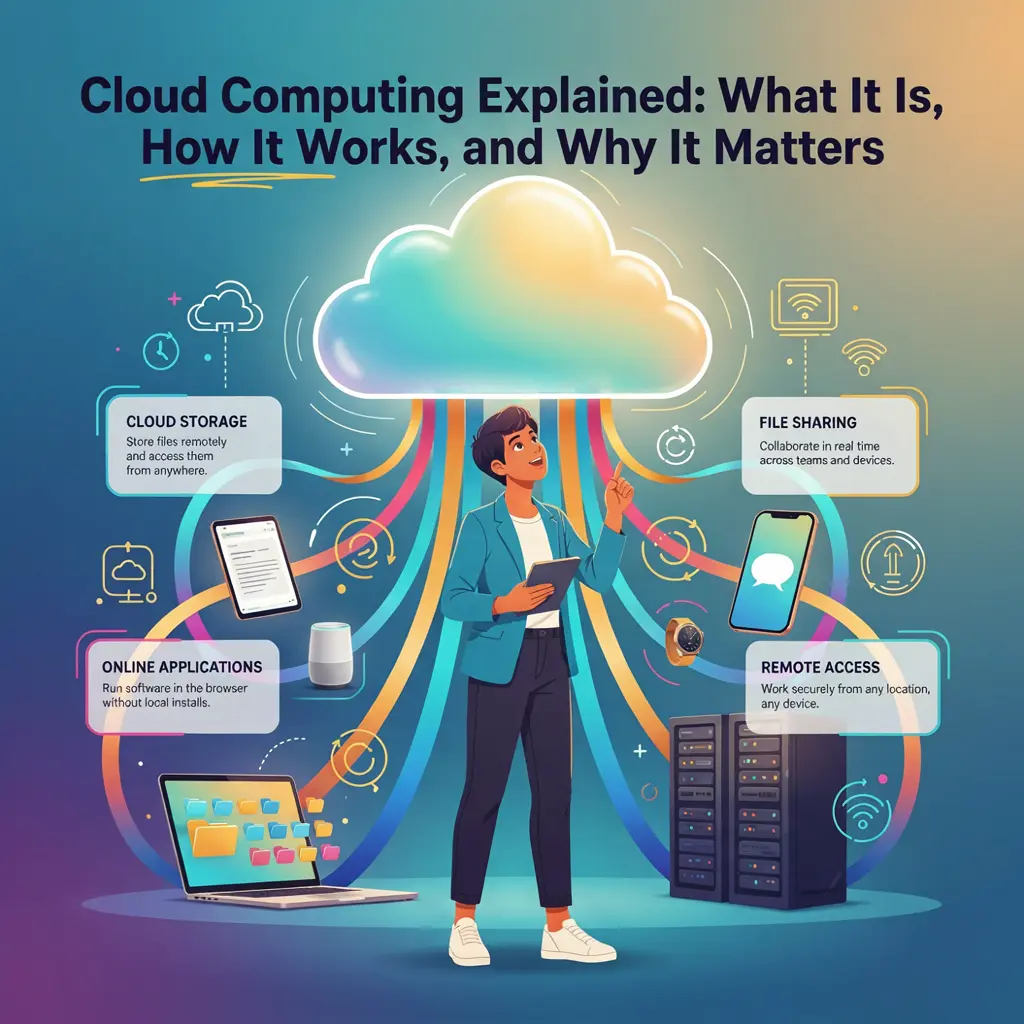
Cloud computing has quietly become one of the most important technologies of the modern era. Whether you're streaming your favorite TV show, backing up photos from your smartphone, collaborating on a document with coworkers, or checking your email, chances are you're using cloud computing, even if you don't realize it.
Just a couple of decades ago, most software had to be installed directly onto a computer, and files were stored on local hard drives that could easily fail or become inaccessible. Today, much of the digital world operates differently. Data, applications, and even entire business operations now live in vast networks of powerful remote servers that can be accessed from virtually anywhere with an internet connection. This shift has transformed how people work, communicate, learn, and entertain themselves.
For businesses, cloud computing has removed the need to invest heavily in expensive physical servers and IT infrastructure. Small startups can launch global services from day one, while large enterprises can scale their operations in minutes rather than months. Individuals also benefit from the convenience of syncing files across devices, accessing software through a web browser, and securely storing important information online.
Despite its widespread use, cloud computing can still feel like a confusing or overly technical concept. Terms such as public cloud, SaaS, virtual machines, and hybrid cloud often sound intimidating, even though the underlying ideas are surprisingly straightforward once they're broken down into plain language.
In this guide, we'll explain exactly what cloud computing is, how it works behind the scenes, the different types of cloud services available, and why it has become such a critical part of our digital lives. You'll also discover the benefits, challenges, security considerations, real-world applications, and emerging trends shaping the future of cloud technology.
By the end of this article, you'll have a clear understanding of cloud computing, whether you're simply curious about the technology, considering a career in IT, running a business, or looking to make smarter decisions about the digital tools you use every day.
What Is Cloud Computing?
At its core, cloud computing is the delivery of computing services, including storage, software, databases, networking, and processing power, over the internet instead of relying on your own computer or local servers. Rather than purchasing expensive hardware or installing every application directly onto your device, you can access these resources whenever you need them through an internet connection.
Think of it like electricity. You don't generate your own power at home; you simply plug into the electrical grid and pay for what you use. Cloud computing works in much the same way. Instead of owning and maintaining powerful computer servers, individuals and businesses rent computing resources from cloud providers that operate massive data centers around the world.
This model offers incredible flexibility. Need more storage for your growing collection of photos? Upgrade your cloud storage plan in minutes. Running a business website that suddenly receives thousands of visitors? Cloud services can automatically allocate more computing power to keep everything running smoothly. Once demand decreases, resources can scale back down, helping reduce unnecessary costs.
Why Is It Called "The Cloud"?
The term "cloud" dates back to the early days of networking. Engineers often used a cloud-shaped symbol in technical diagrams to represent the internet because the exact path data traveled wasn't important to the diagram itself. Over time, that symbol evolved into the term we use today.
When someone says their files are "stored in the cloud," they don't mean the data is floating somewhere in the sky. Instead, it means the information is stored on secure servers located in professionally managed data centers that can be accessed through the internet whenever needed.
Cloud Computing vs. Traditional Computing
Before cloud computing became mainstream, businesses and individuals depended almost entirely on local hardware. Software had to be installed on each computer, files were saved to internal hard drives, and organizations often maintained expensive server rooms filled with networking equipment. Expanding storage or computing power usually meant buying new hardware, a costly and time-consuming process.
Cloud computing changed that model dramatically. Instead of investing heavily upfront, users can access computing resources on demand, paying only for what they use. Updates happen automatically, maintenance is handled by the cloud provider, and services can often be accessed from laptops, smartphones, tablets, and desktop computers alike.
Here's a simple comparison:
- Traditional computing: Data is stored locally, software is installed on individual devices, and hardware upgrades require physical equipment.
- Cloud computing: Data is stored on remote servers, applications can be accessed through the internet, and resources can scale instantly based on demand.
Everyday Examples of Cloud Computing
One of the reasons cloud computing has become so successful is that millions of people use it every day without giving it much thought. If you've ever uploaded photos to an online storage service, streamed a movie, joined a video meeting, or edited a shared document with friends or coworkers, you've experienced cloud computing in action.
Some common examples include:
- Saving photos so they're automatically backed up across all your devices.
- Streaming movies, TV shows, or music without downloading large files.
- Using web-based email services that store your messages online.
- Collaborating on documents in real time with colleagues or classmates.
- Playing cloud-based games that process much of the workload on remote servers.
- Syncing files between your phone, tablet, and computer so they're always up to date.
These experiences are possible because powerful computers in remote data centers perform much of the heavy lifting behind the scenes, allowing your devices to remain lightweight, fast, and connected.
Understanding this basic concept is the foundation for everything else you'll learn about cloud computing. Once you realize that the cloud simply means accessing computing resources over the internet rather than owning them yourself, the rest of the technology becomes much easier to understand.
The Evolution of Cloud Computing
Cloud computing may seem like a relatively new innovation, but the ideas behind it have been evolving for decades. What started as a way to share expensive computing resources has grown into the backbone of the modern internet, powering everything from global streaming platforms to artificial intelligence applications.
Understanding how cloud computing developed helps explain why it has become one of the most influential technologies of the 21st century.
The Early Days of Shared Computing
In the 1960s, computers were incredibly expensive, large, and available only to governments, universities, and major corporations. Since purchasing multiple machines wasn't practical, organizations developed time-sharing systems, allowing several people to access the same computer simultaneously through connected terminals.
Although these early systems were far from today's cloud platforms, they introduced a revolutionary concept: computing resources could be shared among many users instead of being dedicated to just one person.
The Rise of the Internet
During the 1990s, the rapid expansion of the internet transformed how computers communicated. Businesses began hosting websites and online services on dedicated servers located in specialized facilities. This allowed users to access applications remotely rather than installing everything on their personal computers.
However, companies still had to purchase, maintain, and upgrade their own servers. If website traffic suddenly increased, businesses often had to invest in additional hardware that might sit idle during quieter periods.
This limitation highlighted the need for a more flexible solution.
Virtualization Changed Everything
One of the biggest breakthroughs in cloud computing came with the development of virtualization.
Instead of dedicating one physical server to a single task, virtualization software allowed multiple virtual servers to run independently on the same physical machine. Each virtual server behaved like its own computer, complete with its own operating system and applications.
This dramatically improved efficiency by allowing organizations to make better use of their hardware, reducing costs while increasing flexibility. Virtualization became one of the key technologies that made modern cloud computing possible.
The Birth of Modern Cloud Platforms
The cloud computing industry truly accelerated in the mid-2000s when technology companies realized they could rent their computing infrastructure to other businesses.
Rather than buying expensive servers, organizations could simply pay for the computing power, storage, and networking resources they needed.
This new model reduced upfront costs, simplified maintenance, and allowed businesses to scale almost instantly.
Over time, several major providers emerged, offering increasingly sophisticated cloud services for organizations of every size. Today, these platforms support everything from small personal blogs to global enterprises handling millions of users every day.
Cloud Computing Goes Mainstream
As internet speeds improved and cloud platforms matured, more software shifted from being installed on individual computers to being delivered directly through a web browser or mobile app.
Consumers embraced cloud-based services because they offered convenience, automatic updates, and access from virtually any device. Businesses appreciated the ability to collaborate remotely, expand quickly, and reduce infrastructure costs.
The rise of smartphones further accelerated cloud adoption. Mobile devices became extensions of cloud services, automatically syncing photos, contacts, messages, and files across multiple devices without users needing to think about where the data was actually stored.
The Cloud Today
Today, cloud computing is no longer just an IT solution, it's a fundamental part of daily life. Streaming platforms deliver entertainment to millions of households, online retailers process millions of transactions, healthcare providers securely manage patient records, schools deliver virtual classrooms, and businesses rely on cloud platforms to connect employees around the globe.
Emerging technologies such as artificial intelligence, machine learning, the Internet of Things (IoT), and big data analytics also depend heavily on cloud infrastructure. These innovations require enormous computing power that would be impractical or prohibitively expensive for most organizations to build on their own.
Looking Ahead
Cloud computing continues to evolve at a rapid pace. Faster internet connections, edge computing, serverless architecture, automation, and AI-powered cloud services are making technology more efficient, scalable, and accessible than ever before.
What began as a way to share expensive computing resources has grown into the invisible engine powering much of the digital world. As technology continues to advance, cloud computing will remain at the center of innovation, enabling new products, services, and experiences that shape how we live and work.
How Cloud Computing Actually Works
For many people, cloud computing sounds almost magical. You upload a file on your laptop, and seconds later it's available on your phone. You open an online document, and multiple people can edit it simultaneously from different parts of the world. You stream a movie without downloading gigabytes of data first.
Behind these everyday experiences is a sophisticated network of hardware, software, and high-speed internet infrastructure working together almost instantly.
It All Starts with Data Centers
At the heart of cloud computing are data centers, massive facilities filled with thousands, and sometimes hundreds of thousands, of powerful servers. These buildings are designed to operate around the clock and are equipped with advanced cooling systems, backup power supplies, high-speed networking equipment, and strict physical security.
Unlike a home computer that might store a few hundred gigabytes of data, cloud data centers collectively store enormous amounts of information while supporting millions of users at the same time.
These facilities are strategically located around the world so users can connect to the nearest available servers, improving speed and reducing delays.
What Happens When You Use a Cloud Service?
Imagine you upload a photo to an online storage service.
Instead of saving only to your computer's hard drive, here's what typically happens:
- Your device encrypts and sends the file through your internet connection.
- The data travels securely across the internet to a nearby cloud data center.
- Cloud servers receive the file and store it on multiple storage systems for redundancy.
- Information about the file is synchronized across the provider's network.
- When you sign in from another device, the cloud quickly locates your file and delivers it to you.
All of this usually takes only a few seconds and happens automatically behind the scenes.
The Role of Servers
A server is simply a powerful computer designed to provide services to other computers. While your personal laptop mainly serves one user, cloud servers are built to handle thousands, or even millions, of requests simultaneously.
Different servers specialize in different tasks, including:
- Storing files and databases.
- Running applications.
- Processing calculations.
- Managing user accounts.
- Delivering websites.
- Handling security and authentication.
By distributing these responsibilities across many machines, cloud providers ensure services remain fast, reliable, and highly available.
Virtualization Makes Everything More Efficient
One of the technologies that powers cloud computing is virtualization.
Instead of dedicating one physical server to a single customer, virtualization software divides powerful hardware into multiple independent virtual machines. Each virtual machine functions like its own computer, with its own operating system, applications, and resources.
This approach allows cloud providers to maximize efficiency while giving customers the flexibility to increase or decrease computing resources as needed without installing new hardware.
For users, the process is seamless. You simply request more storage or computing power, and the cloud platform allocates additional virtual resources almost instantly.
Networking Connects Everything
Cloud computing depends on incredibly fast and reliable networking.
Servers inside a data center communicate with one another through high-speed internal networks that transfer data much faster than a typical home internet connection. These data centers are also connected to global internet backbones, allowing information to travel quickly between continents.
Modern cloud providers often maintain dozens or even hundreds of interconnected data centers worldwide. If one location experiences technical issues, traffic can automatically be redirected to another, helping services stay online with minimal interruption.
Resource Scaling Happens Automatically
One of the cloud's greatest strengths is its ability to scale.
Imagine an online retailer preparing for a major holiday sale. Traffic might increase tenfold within a matter of hours. With traditional infrastructure, the company would need enough servers to handle peak demand, even if those servers remained underused most of the year.
Cloud computing solves this problem through automatic scaling.
When demand increases, additional computing resources are allocated almost instantly. As traffic decreases, excess resources are released, allowing businesses to pay only for what they actually use.
This flexibility makes cloud computing both cost-effective and highly efficient.
Built-In Redundancy and Reliability
Cloud providers understand that downtime can be costly. That's why they build redundancy into nearly every aspect of their infrastructure.
Rather than storing your information in just one place, cloud systems often create multiple copies of data across different servers, and sometimes across entirely different geographic regions. If one server fails, another can immediately take over without users noticing any interruption.
This redundancy helps protect against:
- Hardware failures.
- Power outages.
- Natural disasters.
- Network disruptions.
- Accidental data loss.
For businesses and individuals alike, this level of reliability offers peace of mind that would be difficult and expensive to achieve with personal hardware alone.
Why It Feels So Simple to the User
Although cloud computing involves incredibly complex technology, users rarely see any of it. You simply log in, open an app, upload a file, or stream a video, while sophisticated software quietly manages where your data is stored, which servers handle your requests, and how resources are allocated.
This invisible complexity is one of cloud computing's greatest strengths. It allows individuals and businesses to focus on using technology rather than managing it, making powerful computing resources accessible to anyone with an internet connection.
Understanding the Main Types of Cloud Computing
Not all cloud environments are built the same. While the term cloud computing often refers to a single concept, there are several ways cloud infrastructure can be deployed depending on an organization's goals, security requirements, budget, and operational needs.
The four primary types of cloud computing are public cloud, private cloud, hybrid cloud, and multi-cloud. Each offers distinct advantages, and many organizations combine multiple approaches to create the solution that best fits their needs.
Public Cloud
The public cloud is the most common type of cloud computing and the one most people interact with every day.
In a public cloud environment, computing resources such as servers, storage, and applications are owned and managed by a third-party cloud provider. These resources are shared among many customers, but each customer's data and applications remain securely separated through advanced virtualization and security technologies.
Public cloud services are typically delivered on a pay-as-you-go model, making them an affordable option for startups, small businesses, and even large enterprises.
Advantages of Public Cloud
- Lower upfront costs with no need to purchase physical servers.
- Easy to scale resources up or down as demand changes.
- Maintenance, updates, and infrastructure management are handled by the provider.
- Accessible from almost anywhere with an internet connection.
- Rapid deployment of applications and services.
Best For
- Small and medium-sized businesses.
- Personal cloud storage.
- Website hosting.
- Mobile applications.
- Software development.
- Growing companies with changing workloads.
Private Cloud
A private cloud is dedicated exclusively to a single organization. Unlike a public cloud, its computing resources are not shared with other customers.
Private cloud infrastructure may be hosted within an organization's own data center or managed by an external provider, but it remains isolated for greater control, customization, and security.
Because organizations have full control over the environment, private clouds are often used by industries with strict regulatory or compliance requirements.
Advantages of Private Cloud
- Greater control over infrastructure.
- Enhanced security and privacy.
- Customized configurations to meet business needs.
- Improved compliance with industry regulations.
- Predictable performance for mission-critical applications.
Best For
- Government agencies.
- Financial institutions.
- Healthcare organizations.
- Large enterprises handling sensitive information.
- Businesses with strict compliance requirements.
Hybrid Cloud
A hybrid cloud combines public and private cloud environments into a single integrated solution.
Organizations can keep sensitive data and critical applications in a private cloud while using the public cloud for less sensitive workloads, backups, or handling spikes in demand.
For example, an online retailer might store customer payment information in a private cloud while hosting its website in the public cloud to accommodate seasonal traffic increases.
Advantages of Hybrid Cloud
- Greater flexibility in managing workloads.
- Strong balance between security and cost.
- Ability to scale into the public cloud during periods of high demand.
- Improved disaster recovery options.
- Better use of existing infrastructure.
Best For
- Businesses with fluctuating workloads.
- Organizations transitioning from traditional IT systems.
- Companies balancing performance with security.
- Enterprises requiring both flexibility and compliance.
Multi-Cloud
A multi-cloud strategy involves using cloud services from two or more cloud providers rather than relying on a single vendor.
For example, a company might use one provider for data storage, another for artificial intelligence services, and a third for application hosting.
This approach reduces dependence on a single provider and allows organizations to choose the best tools for different workloads.
Advantages of Multi-Cloud
- Reduced risk of vendor lock-in.
- Increased resilience if one provider experiences downtime.
- Access to specialized services from different platforms.
- Greater flexibility in pricing and performance.
- Improved global availability.
Best For
- Large enterprises.
- Global organizations.
- Businesses seeking maximum reliability.
- Companies with diverse technical requirements.
Which Type Is Right for You?
There is no one-size-fits-all answer. The right cloud deployment depends on your specific needs.
- Public cloud offers affordability, simplicity, and rapid scalability for most users and businesses.
- Private cloud provides maximum control and security for organizations handling highly sensitive data.
- Hybrid cloud delivers the best of both worlds by combining private and public resources.
- Multi-cloud gives organizations greater flexibility and resilience by leveraging multiple providers.
Many businesses begin with a public cloud solution and gradually adopt hybrid or multi-cloud strategies as their operations grow more complex.
Understanding these deployment models is an important step toward making informed technology decisions. As cloud computing continues to evolve, organizations increasingly choose the model, or combination of models, that aligns with their performance, security, and long-term business goals.
The Three Main Cloud Service Models
Cloud computing isn't just about where data is stored, it's also about how computing resources are delivered. To meet the needs of everyone from everyday users to large enterprises, cloud providers offer services at different levels of control and responsibility.
These offerings are grouped into three primary service models:
- Infrastructure as a Service (IaaS)
- Platform as a Service (PaaS)
- Software as a Service (SaaS)
You can think of them as different layers of a building. The deeper you go, the more control you have, but you'll also take on more responsibility for managing the technology.
Infrastructure as a Service (IaaS)
Infrastructure as a Service (IaaS) provides the basic building blocks of cloud computing. Instead of buying physical servers, networking equipment, and storage devices, businesses rent these resources from a cloud provider over the internet.
With IaaS, the provider manages the physical infrastructure, while customers are responsible for installing and maintaining their operating systems, applications, databases, and other software.
This gives organizations a high degree of flexibility and control without the significant upfront costs of purchasing hardware.
What You Get with IaaS
- Virtual servers
- Cloud storage
- Networking resources
- Load balancing
- Firewalls
- Backup and recovery services
Advantages of IaaS
- Highly scalable computing resources.
- Lower hardware costs.
- Greater flexibility and customization.
- Fast deployment of infrastructure.
- Pay only for the resources you use.
Ideal For
- Startups building custom applications.
- IT departments migrating from on-premises infrastructure.
- Businesses with changing workloads.
- Development and testing environments.
- Disaster recovery solutions.
Platform as a Service (PaaS)
Platform as a Service (PaaS) takes cloud computing one step further by providing not only infrastructure but also a complete development environment.
Instead of worrying about managing servers, operating systems, or software updates, developers can focus entirely on writing, testing, and deploying applications.
The cloud provider handles the underlying infrastructure, allowing development teams to build software more quickly and efficiently.
What You Get with PaaS
- Application hosting.
- Development frameworks.
- Databases.
- Programming tools.
- Testing environments.
- Automatic updates.
- Scalability built into the platform.
Advantages of PaaS
- Faster software development.
- Reduced infrastructure management.
- Simplified collaboration among developers.
- Built-in security and maintenance.
- Easier deployment of web and mobile applications.
Ideal For
- Software developers.
- Web application development.
- Mobile app creation.
- Agile development teams.
- Businesses building custom software.
Software as a Service (SaaS)
Software as a Service (SaaS) is the cloud service model most people use every day.
Instead of installing software on your computer, SaaS applications run entirely through a web browser or mobile app. The provider manages everything, including servers, updates, security, and maintenance, while users simply sign in and start working.
This eliminates the need for manual installations, complicated upgrades, or expensive hardware.
What You Get with SaaS
- Ready-to-use applications.
- Automatic software updates.
- Cloud storage.
- Cross-device access.
- Collaboration features.
- Security and maintenance handled by the provider.
Advantages of SaaS
- No installation required.
- Accessible from almost anywhere.
- Lower upfront costs.
- Automatic updates and patches.
- Easy collaboration across teams.
- Minimal technical maintenance.
Ideal For
- Individuals.
- Small businesses.
- Remote teams.
- Schools and universities.
- Organizations that need productivity software without managing IT infrastructure.
Comparing the Three Service Models
Although all three models rely on cloud computing, they serve different purposes.
Feature | IaaS | PaaS | SaaS |
Main Focus | Infrastructure | Application Development | Ready-to-Use Software |
User Control | High | Moderate | Low |
Technical Knowledge Required | High | Medium | Low |
Maintenance Responsibility | Mostly Customer | Shared | Provider |
Typical Users | IT Professionals | Developers | General Users & Businesses |
A simple way to think about it is:
- IaaS gives you the land and building materials, you build and manage everything else.
- PaaS gives you a fully equipped workshop, you focus on creating your product.
- SaaS gives you the finished product, you simply use it.
Real-World Examples
Imagine you want to launch an online business.
- With IaaS, you rent virtual servers, install your own operating system, configure databases, and manage your website from the ground up.
- With PaaS, you use a cloud development platform that already includes the tools needed to build and deploy your application, saving time on infrastructure management.
- With SaaS, you subscribe to ready-made software for email, accounting, customer relationship management, or team collaboration without worrying about how it's hosted.
Why These Models Matter
Choosing the right cloud service model depends on your technical expertise, budget, and business goals.
Individuals often prefer SaaS because it's simple and requires little maintenance. Developers benefit from PaaS because it speeds up application creation. Organizations that need maximum flexibility and control frequently choose IaaS to customize their environments.
Together, these three service models form the foundation of modern cloud computing, giving businesses and individuals the freedom to choose the level of control that best fits their needs while taking advantage of the cloud's scalability, reliability, and efficiency.
Cloud Computing in Everyday Life
When most people hear the term cloud computing, they imagine massive data centers or complex business systems. In reality, cloud computing is woven into everyday life so seamlessly that many people use it dozens of times a day without even realizing it.
From the moment you unlock your smartphone in the morning to the time you stream a movie before bed, cloud technology is quietly working behind the scenes. It powers the apps you rely on, stores your files, syncs your devices, and enables instant access to information from almost anywhere.
Here are some of the most common ways cloud computing impacts daily life.
Cloud Storage and File Backup
One of the most recognizable uses of cloud computing is online storage.
Instead of keeping all your files on a single computer or external hard drive, cloud storage allows you to save documents, photos, videos, and other files on remote servers. This means your data is available across multiple devices and is protected if your computer or phone is lost, damaged, or stolen.
For example, when you take a photo on your smartphone and it automatically appears on your tablet or laptop a few moments later, cloud computing is making that synchronization possible.
Benefits include:
- Access files from anywhere.
- Automatic backups.
- Easy file sharing.
- Reduced risk of data loss.
- More storage without upgrading your device.
Streaming Movies, TV Shows, and Music
Streaming services are another everyday example of cloud computing.
Instead of downloading an entire movie or music album before enjoying it, cloud servers deliver content to your device in real time. Sophisticated cloud infrastructure adjusts video quality based on your internet speed, ensuring smooth playback while minimizing buffering.
Behind the scenes, cloud systems manage millions of simultaneous streams, delivering entertainment to audiences around the world every second.
Email Services
Modern email platforms rely heavily on cloud computing.
Rather than storing emails solely on your computer, messages are securely saved on remote servers. This allows you to access your inbox from your phone, laptop, tablet, or any web browser with your login credentials.
Cloud-based email also offers:
- Spam filtering.
- Automatic backups.
- Large storage capacity.
- Seamless synchronization across devices.
- Improved security features.
Online Collaboration
Cloud computing has transformed how people work together.
Whether you're collaborating on a business proposal, planning a school project, or organizing a family event, cloud-based productivity tools allow multiple people to edit the same document simultaneously.
Changes appear almost instantly, eliminating the need to email multiple versions back and forth. Team members can leave comments, track revisions, and work together regardless of where they are located.
This capability has become especially valuable as remote and hybrid work environments continue to grow.
Social Media Platforms
Every photo you upload, video you watch, message you send, and notification you receive on social media is supported by cloud computing.
These platforms process enormous amounts of data every second, storing billions of photos, videos, and conversations while delivering personalized content to users around the world.
Without cloud infrastructure, modern social media simply couldn't operate at the scale people expect today.
Online Banking and Digital Payments
Cloud computing also plays a major role in financial services.
When you check your account balance, transfer money, pay bills, or make an online purchase, secure cloud infrastructure helps process and verify those transactions in real time.
Financial institutions use cloud technologies to improve reliability, detect fraud, protect customer information, and ensure services remain available around the clock.
Video Calls and Remote Communication
Video conferencing has become a routine part of both work and personal life.
Cloud computing enables real-time audio and video communication by managing data transmission between participants, maintaining stable connections, and supporting features such as screen sharing, recording, live captions, and virtual backgrounds.
Whether you're attending an online class, participating in a business meeting, or chatting with family overseas, cloud services help keep everyone connected.
Online Gaming
Gaming has evolved far beyond installing software from physical discs.
Today's cloud infrastructure powers:
- Multiplayer matchmaking.
- Online leaderboards.
- Game updates.
- Player profiles.
- Saved progress.
- Cross-platform gaming.
Cloud gaming services even allow users to play graphically demanding games without owning expensive hardware, as the game's processing takes place on powerful remote servers while video is streamed to the player's device.
Smart Home Devices
Many smart home technologies rely on cloud computing to function efficiently.
Devices such as smart speakers, security cameras, thermostats, lighting systems, and voice assistants send data to cloud servers, where it is processed before commands are returned almost instantly.
This allows users to control their homes remotely, automate daily routines, and receive real-time alerts from virtually anywhere.
E-Commerce and Online Shopping
Every time you browse an online store, add products to a shopping cart, or complete a purchase, cloud computing is working behind the scenes.
Retailers use cloud platforms to:
- Host websites.
- Process payments.
- Manage inventory.
- Recommend products.
- Track shipments.
- Handle seasonal spikes in customer traffic.
Without scalable cloud infrastructure, major shopping events like holiday sales would be far more difficult to manage.
Why Cloud Computing Feels Invisible
One of cloud computing's greatest strengths is that it doesn't require users to understand the technology behind it. People simply expect their photos to sync, emails to load instantly, videos to stream smoothly, and documents to update in real time.
The cloud quietly handles the complex work of storing data, processing requests, balancing workloads, and maintaining reliability so that digital experiences feel effortless.
As technology continues to evolve, cloud computing will become even more integrated into everyday life, supporting everything from wearable devices and connected cars to artificial intelligence and future smart cities. For most people, the cloud isn't just something they use occasionally, it's an essential part of nearly every digital interaction they have each day.
Why Cloud Computing Has Become Essential
Cloud computing has evolved from a convenient technology into a fundamental part of how individuals, businesses, and governments operate. Organizations of every size now rely on the cloud to power applications, store data, improve collaboration, and adapt quickly to changing demands.
Its popularity isn't driven by a single feature. Instead, cloud computing combines flexibility, affordability, scalability, and reliability in ways that traditional computing often cannot match.
Here are the key reasons why cloud computing has become essential in today's digital world.
Lower Costs Without Sacrificing Performance
One of the biggest advantages of cloud computing is its ability to reduce costs.
In the past, businesses had to purchase expensive servers, networking equipment, and software licenses before they could even begin operating. They also needed dedicated IT teams to maintain that infrastructure, apply updates, and replace aging hardware.
With cloud computing, many of these expenses disappear. Organizations can rent computing resources on demand and typically pay only for what they use. This significantly lowers upfront investment while making enterprise-level technology accessible to startups and small businesses.
For individuals, cloud services eliminate the need to purchase large amounts of storage or high-powered hardware for many everyday tasks.
Scalability That Grows with Your Needs
Every business experiences fluctuations in demand.
An online retailer may receive thousands of additional visitors during a holiday sale, while a streaming platform may experience spikes when a popular show is released. Traditional infrastructure often struggles to handle these sudden increases without costly overinvestment.
Cloud computing solves this problem through scalability.
Resources such as computing power, storage, and bandwidth can increase automatically when demand rises and scale back when activity slows. This flexibility allows businesses to operate efficiently without paying for unused capacity throughout the year.
Access from Anywhere
Cloud computing removes the limitations of a single physical location.
As long as users have an internet connection, they can access documents, applications, and services from laptops, tablets, smartphones, or desktop computers almost anywhere in the world.
This accessibility has transformed how people work, study, and communicate. Employees can collaborate across continents, students can access coursework from home, and business owners can manage operations while traveling.
Remote work, which has become increasingly common, would be far more difficult without cloud-based tools.
Improved Collaboration
Working together is much easier when everyone has access to the same information.
Cloud-based collaboration platforms allow multiple users to edit documents, share files, communicate in real time, and track project progress without constantly sending updated versions back and forth.
Teams can contribute simultaneously, leave comments, review changes, and maintain a single source of truth, improving both productivity and communication.
This has become especially valuable for organizations with distributed or hybrid workforces.
Automatic Updates and Maintenance
Keeping software up to date is essential for security, performance, and compatibility.
With traditional software, users often had to manually install updates, patch vulnerabilities, or upgrade hardware to support new versions.
Cloud providers handle much of this maintenance automatically. Applications receive regular updates, security patches are deployed quickly, and infrastructure improvements happen behind the scenes with little or no disruption to users.
This allows organizations to focus more on their work and less on managing technology.
Better Reliability and Availability
Downtime can be expensive and frustrating.
Modern cloud providers invest heavily in redundant infrastructure, backup systems, and geographically distributed data centers to keep services running even when hardware fails or unexpected problems occur.
Many cloud platforms are designed to maintain exceptionally high levels of availability by automatically shifting workloads if one server or even an entire data center experiences an issue.
For businesses, this reliability helps maintain customer trust and reduces operational interruptions.
Stronger Disaster Recovery
Unexpected events such as hardware failures, cyberattacks, accidental deletions, or natural disasters can result in significant data loss.
Cloud computing helps reduce these risks by storing data across multiple systems and often across multiple geographic regions.
If one location becomes unavailable, backup copies can often be restored quickly, minimizing downtime and helping organizations recover faster than they could with local infrastructure alone.
Enhanced Security Features
Although some people assume cloud computing is less secure, leading cloud providers invest billions of dollars in protecting their infrastructure.
Security features commonly include:
- Data encryption.
- Multi-factor authentication.
- Continuous monitoring.
- Threat detection.
- Automatic backups.
- Identity and access management.
- Advanced firewalls.
While users still play an important role in protecting their accounts, cloud providers often offer security capabilities that exceed what many organizations could implement independently.
Faster Innovation
Cloud computing allows businesses to experiment and innovate more rapidly.
Instead of waiting weeks or months to purchase and configure new hardware, developers can launch virtual servers, databases, or testing environments within minutes.
This speed enables organizations to:
- Develop new applications faster.
- Test ideas with lower risk.
- Expand into new markets quickly.
- Respond to customer needs more effectively.
For startups especially, the cloud levels the playing field by providing access to enterprise-grade technology without enterprise-sized budgets.
Supporting Modern Technologies
Many of today's most exciting innovations depend on cloud computing.
Artificial intelligence, machine learning, big data analytics, the Internet of Things (IoT), autonomous systems, and advanced scientific research all require enormous computing power and storage capacity.
Cloud platforms provide these resources on demand, making cutting-edge technologies more accessible to researchers, developers, businesses, and entrepreneurs around the world.
A Foundation for the Digital Future
Cloud computing is no longer simply an alternative to traditional IT infrastructure, it has become the foundation upon which much of the digital economy is built.
From small businesses and multinational corporations to schools, hospitals, governments, and nonprofit organizations, the cloud enables faster innovation, greater flexibility, improved collaboration, and more resilient operations.
As internet connectivity continues to improve and new technologies emerge, the importance of cloud computing will only continue to grow. For many organizations, adopting cloud solutions is no longer just a competitive advantage, it's an essential step toward staying relevant in an increasingly connected world.
The Downsides of Cloud Computing
Cloud computing offers remarkable flexibility, scalability, and convenience, but like any technology, it isn't without its challenges. While the advantages often outweigh the drawbacks, understanding the potential risks helps individuals and businesses make informed decisions and develop strategies to minimize those risks.
The good news is that many of these challenges can be managed through careful planning, strong security practices, and choosing reliable cloud providers.
Security Risks
One of the most common concerns surrounding cloud computing is security.
When your data is stored on remote servers rather than your own computer, it's natural to wonder whether it could be vulnerable to cybercriminals. Although leading cloud providers invest heavily in cybersecurity, no system is completely immune to threats.
Potential security risks include:
- Data breaches.
- Unauthorized account access.
- Malware attacks.
- Insider threats.
- Misconfigured cloud services.
In many cases, security incidents occur not because the cloud itself is insecure, but because users choose weak passwords, fail to enable multi-factor authentication, or accidentally expose sensitive data through improper settings.
Privacy Concerns
Cloud computing often involves storing personal or business information on servers located in different regions or even different countries.
This raises important questions about:
- Who owns the data?
- Where is the data stored?
- Who can legally access it?
- Which country's privacy laws apply?
Organizations handling sensitive customer information must understand relevant data protection regulations and ensure their cloud provider meets applicable compliance standards.
Dependence on an Internet Connection
Unlike locally installed software, many cloud services require a reliable internet connection.
If your connection is slow, unstable, or unavailable, you may experience:
- Reduced productivity.
- Delayed access to files.
- Interrupted video meetings.
- Difficulty using cloud-based applications.
- Temporary loss of certain services.
While many applications now include offline capabilities, internet connectivity remains one of the cloud's most important requirements.
Downtime Can Still Happen
Although major cloud providers build highly reliable infrastructure, outages can still occur.
Possible causes include:
- Hardware failures.
- Network disruptions.
- Software bugs.
- Power outages.
- Cyberattacks.
- Maintenance issues.
Even brief interruptions can affect businesses that rely heavily on cloud-based systems. This is why many organizations develop disaster recovery plans and use multiple geographic regions or backup providers to improve resilience.
Vendor Lock-In
Once a business builds its systems around a particular cloud platform, moving to another provider can become challenging.
Applications may rely on provider-specific tools, databases, or services that aren't easily transferable.
This situation, known as vendor lock-in, can make switching providers expensive and time-consuming.
To reduce this risk, many organizations:
- Design applications using open standards.
- Keep backups in portable formats.
- Adopt hybrid or multi-cloud strategies.
- Avoid unnecessary dependence on proprietary services.
Unexpected Costs
Cloud computing is often praised for reducing costs, but poor resource management can lead to surprisingly high bills.
Common causes include:
- Leaving virtual servers running unnecessarily.
- Paying for unused storage.
- Excessive data transfers.
- Overprovisioned computing resources.
- Lack of usage monitoring.
Without proper oversight, organizations may spend far more than expected.
Fortunately, most cloud providers offer budgeting tools, usage reports, and automated alerts to help customers manage expenses effectively.
Compliance and Regulatory Challenges
Many industries must comply with strict regulations governing how sensitive information is collected, stored, and processed.
Healthcare providers, financial institutions, legal firms, and government agencies often face requirements related to:
- Data encryption.
- Audit trails.
- Data residency.
- Access controls.
- Record retention.
Choosing a cloud provider that supports these compliance standards is essential for avoiding legal and financial consequences.
Data Loss Is Still Possible
Although cloud providers maintain multiple backups, data loss can still occur under certain circumstances.
Possible causes include:
- Accidental deletion.
- Software errors.
- Cyberattacks.
- Misconfigured backups.
- Human error.
This is why organizations are encouraged to maintain their own backup strategies rather than relying entirely on a cloud provider's recovery systems.
Following the "3-2-1 backup rule", keeping multiple copies of important data across different storage methods, remains a widely recommended best practice.
Performance Can Vary
Cloud applications rely on internet connectivity and shared infrastructure.
Factors that may affect performance include:
- Internet speed.
- Geographic distance from data centers.
- High network traffic.
- Resource-intensive workloads.
- Temporary service congestion.
Most users experience excellent performance, but organizations with demanding applications may need specialized cloud configurations or dedicated resources to maintain consistent speed.
Managing Complexity
As organizations grow, cloud environments often become increasingly complex.
A business might use multiple cloud providers, hundreds of virtual servers, numerous databases, and dozens of cloud-based applications simultaneously.
Without proper planning, this complexity can lead to:
- Increased operational costs.
- Security gaps.
- Configuration errors.
- Difficulty tracking resources.
- Inefficient workflows.
Strong governance, automation, and ongoing monitoring help organizations maintain control as their cloud environments expand.
Why the Benefits Still Outweigh the Risks
Despite these challenges, cloud computing continues to grow because its advantages generally far outweigh its drawbacks.
Modern cloud providers continuously improve security, reliability, compliance, and performance while introducing new tools that help customers manage costs and reduce operational risks.
For individuals, the convenience of accessing files from anywhere, automatic backups, and easy collaboration often make cloud services an obvious choice.
For businesses, the ability to scale quickly, reduce infrastructure costs, support remote work, and accelerate innovation makes cloud computing an essential competitive advantage.
Like any technology, success depends on using it wisely. By understanding the potential risks and following best practices, organizations and individuals can confidently take advantage of everything cloud computing has to offer while minimizing the challenges that come with it.
How Secure Is Cloud Computing?
One of the first questions people ask before moving their files, applications, or business systems to the cloud is: "Is it actually safe?"
The short answer is yes, but security is a shared responsibility.
Leading cloud providers invest billions of dollars every year into protecting their infrastructure, employing some of the world's top cybersecurity experts and implementing advanced technologies that many organizations couldn't afford to build on their own. However, even the most secure cloud platform can't fully protect users who ignore basic security practices.
Understanding how cloud security works helps you use cloud services more confidently and reduce unnecessary risks.
Why Major Cloud Providers Invest So Heavily in Security
Cloud providers host data for millions of individuals, businesses, and governments. Their reputation depends on maintaining strong security, so they continuously improve their systems to defend against evolving cyber threats.
Modern cloud platforms typically include:
- Around-the-clock security monitoring.
- Advanced threat detection.
- Physical security at data centers.
- Automatic security updates.
- Built-in backup systems.
- Distributed infrastructure for improved resilience.
- Dedicated cybersecurity teams.
These investments create multiple layers of protection designed to keep services secure and available.
Data Encryption Protects Your Information
One of the most important security technologies used in cloud computing is encryption.
Encryption converts readable information into coded data that can only be unlocked using the correct encryption key.
Cloud providers commonly encrypt data in two ways:
Encryption in Transit
Whenever data moves between your device and the cloud, it's encrypted to reduce the risk of interception while traveling across the internet.
This protects activities such as:
- Uploading files.
- Sending emails.
- Accessing websites.
- Online banking.
- Video conferencing.
Encryption at Rest
Once your data reaches the cloud, it's often encrypted while stored on servers.
Even if someone were somehow able to access the storage hardware directly, encrypted information would be extremely difficult to read without the proper decryption keys.
Multi-Factor Authentication Adds Another Layer of Protection
Passwords alone are no longer enough.
That's why many cloud services encourage or require multi-factor authentication (MFA).
With MFA enabled, signing in typically requires:
- Your password.
- A temporary verification code.
- A security key.
- Biometric verification, such as a fingerprint or facial recognition.
Even if someone discovers your password, they usually can't access your account without the second verification method.
For both individuals and businesses, enabling MFA is one of the simplest and most effective ways to improve cloud security.
Identity and Access Management
Not everyone within an organization should have access to every piece of information.
Cloud providers offer Identity and Access Management (IAM) systems that allow administrators to control exactly who can view, edit, or manage specific resources.
For example:
- Employees can access only the files needed for their jobs.
- Managers receive broader permissions.
- IT administrators manage infrastructure.
- Contractors receive temporary, limited access.
Restricting permissions reduces the risk of accidental mistakes and unauthorized access.
Automatic Backups and Data Redundancy
Cloud providers understand that hardware failures can happen.
To reduce the risk of data loss, they often store multiple copies of information across different servers and, in many cases, across different geographic regions.
This process, known as redundancy, helps ensure that if one storage device or even an entire data center experiences a problem, another copy of the data remains available.
Many cloud services also perform regular backups, making it easier to recover files after accidental deletion or technical failures.
Physical Security Is Just as Important
Cloud security isn't limited to software.
Data centers themselves are protected by extensive physical security measures, including:
- Biometric access controls.
- Security guards.
- Video surveillance.
- Restricted access zones.
- Environmental monitoring.
- Fire suppression systems.
- Backup power generators.
These facilities are designed to protect both equipment and data from physical threats as well as cyber threats.
Understanding the Shared Responsibility Model
One of the most important concepts in cloud security is the shared responsibility model.
Cloud providers are responsible for securing the infrastructure that powers cloud services, including:
- Physical data centers.
- Servers.
- Networking equipment.
- Storage hardware.
- Core cloud software.
Users, however, remain responsible for securing their own accounts and data.
This includes:
- Creating strong passwords.
- Enabling multi-factor authentication.
- Managing access permissions.
- Updating connected devices.
- Avoiding phishing scams.
- Backing up important information when appropriate.
In other words, cloud providers protect the platform, while users must protect how they use it.
Common Cloud Security Threats
Although cloud computing is generally secure, certain risks still exist.
Some of the most common threats include:
- Weak or reused passwords.
- Phishing attacks.
- Malware infections.
- Misconfigured cloud storage.
- Stolen login credentials.
- Insider threats.
- Social engineering attacks.
Many successful cyberattacks exploit human error rather than weaknesses in the cloud infrastructure itself.
Best Practices for Staying Secure
Whether you're using cloud services for personal files or running an entire business, following a few simple practices can dramatically improve your security.
Consider these recommendations:
- Use strong, unique passwords for every account.
- Enable multi-factor authentication whenever available.
- Regularly review account permissions.
- Keep devices and software updated.
- Be cautious of suspicious emails and links.
- Encrypt sensitive files when appropriate.
- Maintain independent backups of critical data.
- Monitor account activity for unusual behavior.
Small habits like these can significantly reduce the risk of unauthorized access.
Can Cloud Computing Ever Be 100% Secure?
No technology can guarantee complete security.
Cyber threats continue to evolve, and attackers constantly look for new vulnerabilities. However, the combination of advanced infrastructure, encryption, continuous monitoring, strict access controls, and responsible user behavior makes cloud computing one of the most secure ways to store and manage digital information today.
For most individuals and businesses, the cloud is often more secure than relying solely on personal computers or privately managed servers, especially when users take advantage of the security tools provided by their cloud service.
Ultimately, cloud security isn't about eliminating every possible risk, it's about reducing those risks to a level that allows people and organizations to work, collaborate, and innovate with confidence in an increasingly connected world.
How Different Industries Use Cloud Computing
Cloud computing has become a driving force behind innovation across virtually every sector of the global economy. From hospitals and schools to banks and entertainment companies, organizations rely on cloud technology to improve efficiency, reduce costs, strengthen security, and deliver better experiences to customers.
Although the underlying technology is the same, each industry uses cloud computing in unique ways to solve its own challenges.
Healthcare
Healthcare organizations generate enormous amounts of sensitive data every day, including patient records, medical images, prescriptions, laboratory results, and appointment schedules.
Cloud computing helps healthcare providers:
- Securely store electronic health records (EHRs).
- Share patient information between authorized medical professionals.
- Support telemedicine and virtual consultations.
- Analyze medical data for research and diagnosis.
- Improve disaster recovery for critical records.
Cloud-based systems also enable doctors to access patient information quickly, helping them make faster and more informed treatment decisions while improving the overall patient experience.
Education
Education has been transformed by cloud computing.
Students and teachers can now access learning materials from virtually anywhere, making education more flexible and accessible than ever before.
Schools and universities use cloud platforms to:
- Deliver online classes.
- Share assignments and study materials.
- Collaborate on group projects.
- Store academic records securely.
- Conduct virtual examinations.
- Support remote and hybrid learning.
Cloud technology also reduces the need for expensive on-campus computer infrastructure, allowing educational institutions to focus more resources on teaching and student support.
Finance and Banking
Banks and financial institutions depend on cloud computing to process millions of secure transactions every day.
Cloud services help financial organizations:
- Detect fraudulent transactions.
- Analyze financial data in real time.
- Process online payments.
- Deliver mobile banking applications.
- Secure customer information.
- Improve regulatory compliance.
Because the financial sector handles highly sensitive information, security, encryption, and continuous monitoring play especially important roles in cloud-based banking systems.
Retail and E-Commerce
Modern retail would look very different without cloud computing.
Online stores rely on cloud infrastructure to manage products, customers, payments, and inventory while supporting large numbers of shoppers during busy periods such as holiday sales.
Retail businesses use cloud technology to:
- Host e-commerce websites.
- Track inventory across multiple locations.
- Process customer orders.
- Analyze buying behavior.
- Recommend personalized products.
- Manage supply chains.
- Improve customer service.
The cloud also enables retailers to scale quickly during major shopping events without investing in permanent infrastructure that may sit unused during quieter periods.
Manufacturing
Manufacturing companies increasingly rely on cloud computing to improve efficiency and reduce operational costs.
Connected machines and sensors collect enormous amounts of production data, which cloud platforms analyze to identify patterns and optimize performance.
Manufacturers use cloud services for:
- Predictive maintenance.
- Equipment monitoring.
- Inventory management.
- Supply chain coordination.
- Production planning.
- Quality control.
- Real-time analytics.
These capabilities help reduce downtime, improve productivity, and make manufacturing processes more efficient.
Entertainment and Media
The entertainment industry depends heavily on cloud computing to deliver digital content to audiences around the world.
Streaming services, music platforms, online gaming companies, and digital publishers all rely on cloud infrastructure to distribute content quickly and reliably.
Cloud computing supports:
- Video streaming.
- Music streaming.
- Live broadcasts.
- Digital content storage.
- Multiplayer gaming.
- Content recommendation systems.
- Global content delivery.
Without the cloud, delivering high-quality entertainment to millions of users simultaneously would be significantly more difficult.
Government
Government agencies are increasingly adopting cloud technologies to modernize public services and improve operational efficiency.
Cloud computing helps governments:
- Store public records securely.
- Deliver online citizen services.
- Improve emergency response systems.
- Support digital identity programs.
- Strengthen cybersecurity.
- Reduce IT infrastructure costs.
- Improve communication between departments.
By moving services online, governments can often provide faster and more convenient access for citizens while reducing administrative overhead.
Small Businesses
Cloud computing has dramatically leveled the playing field for small businesses.
In the past, enterprise-grade technology was often too expensive for startups and small companies. Today, cloud services provide affordable access to powerful tools that were once available only to large organizations.
Small businesses commonly use cloud computing for:
- Accounting software.
- Customer relationship management (CRM).
- File storage.
- Team collaboration.
- Website hosting.
- Marketing automation.
- Video conferencing.
Because these services typically operate on subscription-based pricing, businesses can grow gradually without making significant upfront investments.
Agriculture
Even agriculture has embraced cloud computing.
Modern farms increasingly use connected sensors, drones, weather data, and smart irrigation systems to improve crop production and resource management.
Cloud platforms help farmers:
- Monitor soil conditions.
- Analyze weather forecasts.
- Track equipment performance.
- Manage livestock.
- Optimize irrigation schedules.
- Improve harvest planning.
These technologies support more efficient farming while helping reduce waste and environmental impact.
Transportation and Logistics
Shipping companies, airlines, delivery services, and logistics providers use cloud computing to coordinate complex global operations.
Cloud-powered systems assist with:
- Route optimization.
- Fleet management.
- Package tracking.
- Traffic analysis.
- Fuel efficiency monitoring.
- Warehouse management.
- Real-time shipment updates.
Customers benefit by receiving accurate delivery estimates and the ability to track shipments almost instantly.
Why Every Industry Benefits
Although every industry has unique requirements, the reasons for adopting cloud computing are remarkably consistent.
Organizations choose cloud solutions because they offer:
- Greater flexibility.
- Lower infrastructure costs.
- Improved collaboration.
- Better scalability.
- Enhanced security.
- Faster innovation.
- Reliable disaster recovery.
- Access to advanced technologies like artificial intelligence and machine learning.
As industries continue to embrace digital transformation, cloud computing serves as the foundation that enables organizations to adapt, compete, and innovate in an increasingly connected world.
Whether it's helping doctors save lives, teachers educate students, retailers serve customers, or businesses launch entirely new services, cloud computing has become one of the most influential technologies shaping the future of nearly every profession and industry.
Why AI and Cloud Computing Go Hand in Hand
Artificial intelligence (AI) and cloud computing are two of the most transformative technologies of the modern era. While they can exist independently, they are far more powerful when combined. In fact, much of today's AI revolution, from intelligent chatbots and virtual assistants to recommendation engines and image generators, is made possible by the cloud.
Cloud computing provides the massive computing power, storage, and networking that AI systems need to learn, analyze data, and deliver results in seconds. Without cloud infrastructure, many of the AI tools people use every day would be too expensive or technically demanding to operate on personal devices alone.
AI Requires Enormous Computing Power
Artificial intelligence isn't just about writing code, it involves processing vast amounts of data and performing billions, or even trillions, of calculations.
Training modern AI models requires powerful hardware such as Graphics Processing Units (GPUs) and specialized AI accelerators that can handle complex mathematical operations much faster than traditional processors.
Purchasing this hardware outright is often beyond the budget of individuals and many businesses.
Cloud providers solve this challenge by offering access to high-performance computing resources on demand. Instead of investing millions of dollars in infrastructure, organizations can rent the computing power they need and scale it as their AI projects grow.
The Cloud Makes AI Accessible
Before cloud computing became widespread, developing AI solutions required expensive hardware, dedicated server rooms, and highly specialized IT teams.
Today, cloud platforms have made AI far more accessible.
Developers, researchers, startups, and even hobbyists can access advanced AI tools through cloud services without building their own infrastructure. This lowers barriers to entry and allows innovation to happen much faster.
Whether someone is creating a chatbot, analyzing business data, or experimenting with machine learning, cloud computing provides the foundation needed to get started.
AI Learns from Massive Amounts of Data
Artificial intelligence improves by learning from data.
The more high-quality data an AI system can analyze, the better it can recognize patterns, make predictions, and generate useful results.
Cloud platforms are ideal for storing and processing these enormous datasets because they provide:
- Virtually unlimited storage.
- Fast data retrieval.
- Scalable databases.
- High-speed processing.
- Secure data management.
Organizations can continuously collect, store, and analyze information without constantly upgrading physical infrastructure.
AI Services Available Through the Cloud
Many cloud providers now offer ready-to-use AI services that simplify development.
Instead of building everything from scratch, businesses can integrate pre-built AI capabilities into their applications.
Common cloud-based AI services include:
- Speech recognition.
- Language translation.
- Image recognition.
- Text generation.
- Sentiment analysis.
- Fraud detection.
- Predictive analytics.
- Recommendation engines.
These services allow developers to add intelligent features to applications without needing deep expertise in machine learning.
Real-World Examples of AI Powered by the Cloud
The combination of AI and cloud computing influences many aspects of daily life.
Some familiar examples include:
Virtual Assistants
Digital assistants can answer questions, set reminders, translate languages, and control smart home devices by processing requests through cloud-based AI systems.
Streaming Recommendations
Streaming platforms analyze viewing habits to recommend movies, television shows, and music that match individual preferences.
Online Shopping
Retailers use AI hosted in the cloud to recommend products, predict customer demand, optimize pricing, and personalize shopping experiences.
Healthcare
Hospitals use cloud-powered AI to analyze medical images, assist with diagnoses, predict patient outcomes, and accelerate medical research.
Financial Services
Banks rely on cloud-based AI to detect fraudulent transactions, evaluate financial risk, automate customer support, and improve cybersecurity.
Manufacturing
Factories analyze data collected from sensors using cloud-based AI to predict equipment failures, improve quality control, and optimize production schedules.
Cloud Computing Accelerates AI Innovation
One of the greatest advantages of cloud computing is speed.
Researchers and developers can launch powerful computing environments within minutes instead of waiting weeks to install physical hardware.
This flexibility allows teams to:
- Train AI models faster.
- Test new ideas quickly.
- Scale computing resources during large training jobs.
- Deploy AI applications globally.
- Continuously improve models using new data.
The result is faster innovation and shorter development cycles across nearly every industry.
Challenges of Combining AI and the Cloud
Although AI and cloud computing offer enormous benefits, they also present important challenges.
Organizations must carefully consider:
- Data privacy.
- Security of sensitive information.
- Ethical use of AI.
- Regulatory compliance.
- Cost management.
- Bias in AI models.
- Responsible data collection.
Balancing innovation with transparency and accountability is becoming increasingly important as AI systems become more capable and widely adopted.
The Future of AI and Cloud Computing
The relationship between AI and cloud computing will only continue to strengthen.
Future advancements are expected to include:
- Smarter virtual assistants.
- More personalized digital experiences.
- Faster medical discoveries.
- Autonomous vehicles.
- Intelligent robotics.
- Advanced scientific research.
- Highly automated business operations.
Cloud providers are also investing heavily in specialized AI hardware, more efficient data centers, and tools that make AI development accessible to a broader audience.
A Partnership Driving the Next Generation of Technology
Artificial intelligence may capture the headlines, but cloud computing provides much of the foundation that allows it to flourish.
By supplying virtually unlimited computing power, scalable storage, and globally accessible infrastructure, the cloud enables AI systems to learn, improve, and serve billions of users around the world.
Together, AI and cloud computing are reshaping industries, transforming how businesses operate, and changing the way people interact with technology every day. As these technologies continue to evolve side by side, they will remain at the heart of innovation for years to come.
The Biggest Cloud Platforms in the World
Cloud computing wouldn't exist on its current scale without the companies that build and operate the massive infrastructure behind it. These providers own thousands of data centers, maintain millions of servers, and offer a wide range of cloud services to businesses, governments, developers, and individuals around the globe.
While dozens of companies offer cloud solutions, a handful of platforms dominate the market thanks to their global reach, reliability, and extensive service offerings.
Here's a closer look at some of the world's leading cloud computing providers.
Amazon Web Services (AWS)
Amazon Web Services, commonly known as AWS, is the world's largest and most widely used cloud computing platform.
Originally launched to support Amazon's own online retail operations, AWS quickly evolved into a comprehensive cloud platform that serves millions of customers across nearly every industry.
AWS offers hundreds of services, including:
- Virtual servers.
- Cloud storage.
- Databases.
- Artificial intelligence tools.
- Machine learning services.
- Networking.
- Security solutions.
- Internet of Things (IoT) services.
- Data analytics.
Because of its vast ecosystem and global infrastructure, AWS is often the first choice for startups, large enterprises, and government organizations looking for scalable and reliable cloud solutions.
Best suited for:
- Startups.
- Large enterprises.
- Software developers.
- Global applications.
- High-growth businesses.
Microsoft Azure
Microsoft Azure has become one of AWS's strongest competitors and is especially popular among businesses already using Microsoft's software ecosystem.
Azure integrates seamlessly with products such as Windows Server, Microsoft 365, Active Directory, SQL Server, and enterprise productivity tools, making it an attractive option for organizations transitioning from traditional IT environments to the cloud.
Azure provides services including:
- Virtual machines.
- Cloud databases.
- AI and machine learning.
- Data analytics.
- Security management.
- Application hosting.
- Backup and disaster recovery.
Many large corporations appreciate Azure's strong support for hybrid cloud environments, allowing businesses to combine on-premises infrastructure with cloud resources.
Best suited for:
- Enterprise organizations.
- Businesses using Microsoft products.
- Hybrid cloud deployments.
- Government agencies.
- Financial institutions.
Google Cloud Platform (GCP)
Google Cloud Platform (GCP) is built on the same global infrastructure that powers many of Google's own products and services.
GCP is particularly well known for its strengths in:
- Artificial intelligence.
- Machine learning.
- Big data analytics.
- Kubernetes.
- Containers.
- Data processing.
- Application development.
Developers often choose Google Cloud because of its innovation in AI services and modern software development tools.
Organizations handling large volumes of data also benefit from Google's expertise in search, distributed computing, and large-scale analytics.
Best suited for:
- AI development.
- Data analytics.
- Research organizations.
- Software developers.
- Machine learning projects.
Oracle Cloud Infrastructure (OCI)
Oracle Cloud Infrastructure (OCI) focuses heavily on enterprise computing and database management.
Many organizations that already rely on Oracle databases choose OCI because it offers optimized performance, strong security features, and deep integration with Oracle's software ecosystem.
Oracle Cloud also supports:
- Enterprise applications.
- Financial systems.
- Human resource management.
- Cloud databases.
- High-performance computing.
- Disaster recovery.
Its services are especially attractive to businesses with mission-critical workloads and complex database requirements.
Best suited for:
- Enterprise databases.
- Financial systems.
- Large corporations.
- High-performance workloads.
- Existing Oracle customers.
IBM Cloud
IBM Cloud has earned a strong reputation for serving large organizations that require advanced security, compliance, and enterprise-grade computing solutions.
IBM focuses on helping businesses modernize legacy systems while supporting hybrid cloud environments and artificial intelligence initiatives.
Its offerings include:
- Hybrid cloud solutions.
- AI services.
- Data analytics.
- Cloud security.
- Enterprise consulting.
- Application modernization.
IBM is particularly active in industries with strict regulatory requirements, such as healthcare, banking, insurance, and government.
Best suited for:
- Regulated industries.
- Hybrid cloud deployments.
- Enterprise modernization.
- Large organizations.
- AI-powered business solutions.
DigitalOcean
Unlike some of the larger enterprise-focused providers, DigitalOcean emphasizes simplicity and ease of use.
Its platform is designed to help developers, freelancers, startups, and small businesses launch websites, applications, and cloud infrastructure without unnecessary complexity.
DigitalOcean offers:
- Virtual servers.
- Managed databases.
- Kubernetes hosting.
- Cloud storage.
- Networking.
- Developer-friendly tools.
Its straightforward pricing and user-friendly interface have made it especially popular among independent developers and growing startups.
Best suited for:
- Developers.
- Small businesses.
- Startups.
- Personal projects.
- Small web applications.
Choosing the Right Cloud Provider
There isn't a single "best" cloud platform for everyone. The ideal choice depends on an organization's goals, technical requirements, budget, and existing technology stack.
For example:
- Businesses seeking the broadest range of cloud services often choose AWS.
- Companies already invested in Microsoft technologies frequently prefer Azure.
- Organizations focused on artificial intelligence and data analytics may lean toward Google Cloud.
- Enterprises running Oracle databases often benefit from Oracle Cloud Infrastructure.
- Large regulated organizations may select IBM Cloud for its enterprise expertise.
- Developers and startups looking for simplicity often find DigitalOcean to be an excellent fit.
Many organizations today don't limit themselves to a single provider. Instead, they adopt multi-cloud strategies, combining services from several platforms to improve flexibility, reliability, and performance.
The Cloud Providers Powering the Digital Economy
Behind nearly every major website, streaming platform, mobile app, online game, financial service, or AI-powered application is a cloud provider supplying the infrastructure that keeps everything running.
These companies continue investing billions of dollars in new data centers, faster networks, advanced cybersecurity, renewable energy initiatives, and cutting-edge technologies such as artificial intelligence and quantum computing.
As demand for digital services continues to grow, these cloud platforms will remain at the center of global innovation, enabling businesses and individuals to build, scale, and connect in ways that were unimaginable just a few decades ago.
The Future of Cloud Computing
Cloud computing has already transformed how people work, communicate, and access technology, but its evolution is far from over. As businesses generate more data and consumers demand faster, smarter, and more personalized digital experiences, cloud technology will continue to expand in both capability and importance.
The next decade is expected to bring significant advancements that make cloud services more intelligent, efficient, secure, and deeply integrated into everyday life. Several emerging trends are already shaping what the future of cloud computing will look like.
Edge Computing Brings Data Closer to Users
Traditional cloud computing often requires data to travel to large centralized data centers before being processed. While this works well for many applications, it can introduce delays for services that require near-instant responses.
This is where edge computing comes in.
Instead of sending all data to distant cloud servers, edge computing processes information closer to where it's generated, such as on local devices, nearby servers, or regional data centers.
This approach reduces latency and improves performance for technologies like:
- Self-driving vehicles.
- Smart cities.
- Industrial automation.
- Augmented reality (AR).
- Virtual reality (VR).
- Internet of Things (IoT) devices.
Edge computing won't replace the cloud but will work alongside it, creating faster and more responsive digital experiences.
Serverless Computing Continues to Grow
Despite its name, serverless computing doesn't eliminate servers. Instead, it removes the need for developers to manage them directly.
With serverless architecture, cloud providers automatically allocate computing resources whenever an application needs them and release those resources once the task is complete.
This offers several benefits:
- Lower operational costs.
- Automatic scaling.
- Faster application development.
- Reduced infrastructure management.
- Greater flexibility for developers.
As organizations continue seeking ways to simplify software development, serverless computing is expected to become even more popular.
Artificial Intelligence Will Become Even More Integrated
Cloud computing and artificial intelligence are becoming increasingly interconnected.
Future cloud platforms will offer more advanced AI capabilities, allowing businesses to automate repetitive tasks, analyze enormous datasets, and build intelligent applications without requiring specialized expertise.
Expect continued growth in areas such as:
- AI-powered customer service.
- Predictive analytics.
- Automated software development.
- Intelligent cybersecurity.
- Personalized digital experiences.
- Machine learning platforms.
As AI tools become easier to access through cloud services, organizations of all sizes will be able to take advantage of technologies that were once available only to large enterprises.
Sustainability and Green Cloud Computing
Modern data centers consume significant amounts of electricity, making sustainability an increasingly important priority.
Cloud providers are investing heavily in:
- Renewable energy.
- Energy-efficient hardware.
- Advanced cooling systems.
- Carbon reduction initiatives.
- Sustainable data center design.
Many leading providers have committed to reducing their environmental impact while continuing to expand their global infrastructure.
As businesses place greater emphasis on environmental responsibility, green cloud computing will become a major competitive advantage.
Multi-Cloud and Hybrid Cloud Strategies Will Expand
Organizations are becoming less likely to depend on a single cloud provider.
Instead, many businesses are adopting:
- Multi-cloud strategies, which use services from multiple cloud providers.
- Hybrid cloud environments, which combine public and private cloud infrastructure.
These approaches offer:
- Greater flexibility.
- Improved disaster recovery.
- Reduced vendor lock-in.
- Better performance optimization.
- Increased resilience.
As cloud services continue to mature, combining multiple environments will likely become standard practice for many organizations.
Stronger Cloud Security
Cybersecurity threats continue to evolve, and cloud providers are responding with increasingly sophisticated security technologies.
Future cloud platforms are expected to feature:
- AI-powered threat detection.
- Continuous security monitoring.
- Zero Trust security architectures.
- Improved encryption methods.
- Automated compliance tools.
- More advanced identity management.
While cyber threats will never disappear completely, cloud security is expected to become more proactive, intelligent, and automated.
Quantum Computing Could Redefine the Cloud
Although still in its early stages, quantum computing has the potential to revolutionize cloud computing over the coming decades.
Unlike traditional computers that process information using binary bits, quantum computers use quantum bits, or qubits, which can solve certain complex problems dramatically faster.
Potential applications include:
- Drug discovery.
- Climate modeling.
- Financial simulations.
- Advanced cryptography.
- Scientific research.
- Supply chain optimization.
Because quantum computers are incredibly expensive and technically demanding, many experts believe they'll primarily be accessed through cloud platforms rather than owned by individual organizations.
More Automation Across Every Industry
Cloud computing is expected to automate an increasing number of routine business processes.
Organizations will continue using cloud technologies to automate:
- Customer support.
- Data analysis.
- Inventory management.
- Software deployment.
- Security monitoring.
- Financial reporting.
- Predictive maintenance.
Automation not only improves efficiency but also allows employees to focus on more strategic and creative work.
Cloud Computing Will Reach More People
As internet access improves around the world, cloud computing will become available to millions of new users.
Expanding connectivity, lower-cost devices, and improved mobile networks will enable individuals, schools, businesses, and governments in developing regions to access powerful cloud services that were previously out of reach.
This broader accessibility has the potential to drive innovation, education, entrepreneurship, and economic growth on a global scale.
The Cloud Will Continue to Power Digital Transformation
Nearly every major technological trend, from artificial intelligence and smart homes to connected vehicles and advanced healthcare, depends on cloud computing in some way.
As organizations continue modernizing their operations, cloud platforms will remain the foundation for innovation, allowing businesses to launch new products faster, scale more efficiently, and respond more quickly to changing customer needs.
Rather than simply supporting technology, the cloud is becoming the platform upon which the future of technology is being built.
Looking Ahead
Cloud computing has evolved from a convenient way to store files into one of the most important technologies shaping the digital world.
Its future will be defined by greater intelligence, stronger security, broader accessibility, improved sustainability, and deeper integration with emerging technologies like artificial intelligence, edge computing, and quantum computing.
For businesses, embracing cloud innovation will be essential to remaining competitive. For individuals, cloud services will continue making technology more connected, more convenient, and more capable than ever before.
The cloud isn't just the future of computing, it's the foundation upon which much of the future itself will be built.
Common Cloud Computing Myths Debunked
Despite becoming an essential part of modern technology, cloud computing is still surrounded by misconceptions. Many of these myths stem from outdated information, misunderstandings about how the cloud works, or concerns about security and privacy.
Believing these myths can prevent individuals and businesses from taking full advantage of cloud technology. Let's separate fact from fiction by examining some of the most common misconceptions.
Myth 1: "The Cloud Is Just Someone Else's Computer"
You've probably heard the phrase, "The cloud is just someone else's computer." While there's a small element of truth to it, the statement oversimplifies what cloud computing really is.
Yes, your data is stored on computers that belong to cloud providers. However, those computers are part of highly sophisticated global networks that include:
- Thousands of interconnected servers.
- Advanced security systems.
- Automatic backups.
- Load balancing.
- Disaster recovery capabilities.
- Continuous monitoring.
- High-speed networking.
A personal computer and a professionally managed cloud infrastructure operate on completely different scales.
Reality: Cloud computing is far more than remote storage, it's an entire ecosystem designed to deliver computing resources efficiently, securely, and reliably.
Myth 2: "Cloud Storage Isn't Secure"
Security remains one of the biggest concerns for new cloud users.
Many people assume storing files online automatically makes them vulnerable to hackers. In reality, leading cloud providers invest enormous resources into protecting customer data through encryption, multi-factor authentication, threat detection, and dedicated cybersecurity teams.
That said, users also play an important role. Weak passwords, phishing attacks, or poor security habits can compromise accounts regardless of where data is stored.
Reality: For most people and businesses, cloud storage is often more secure than relying solely on a personal computer or external hard drive, especially when security best practices are followed.
Myth 3: "Only Large Companies Need Cloud Computing"
Another common misconception is that cloud computing only benefits multinational corporations.
In truth, small businesses, freelancers, students, nonprofit organizations, and individuals all use cloud services every day.
Examples include:
- Backing up photos.
- Using online email.
- Storing documents.
- Video conferencing.
- Team collaboration.
- Website hosting.
- Online accounting.
- Managing customer information.
Cloud computing has made powerful technology affordable and accessible for organizations of every size.
Reality: Whether you're running a global enterprise or organizing personal files, cloud computing can provide meaningful benefits.
Myth 4: "Cloud Computing Is Too Expensive"
Some people believe cloud computing requires a large financial investment.
In reality, one of the cloud's biggest advantages is its flexible pricing.
Many services offer:
- Free storage plans.
- Monthly subscriptions.
- Pay-as-you-go pricing.
- Usage-based billing.
Businesses also avoid many of the expenses associated with purchasing physical servers, maintaining hardware, and hiring large IT teams.
Of course, poor resource management can increase costs, but with proper planning, cloud computing is often more economical than traditional infrastructure.
Reality: Cloud computing can be extremely cost-effective, especially for growing organizations that need flexibility.
Myth 5: "Everything Should Move to the Cloud"
While cloud computing offers many advantages, it isn't always the best solution for every workload.
Some organizations continue using on-premises infrastructure for:
- Highly sensitive data.
- Specialized legacy systems.
- Applications requiring extremely low latency.
- Regulatory compliance requirements.
Many businesses find that a hybrid approach, combining cloud services with local infrastructure, provides the best balance of flexibility, performance, and security.
Reality: Cloud computing is a powerful tool, but the right solution depends on an organization's specific needs.
Myth 6: "The Cloud Never Goes Down"
Major cloud providers invest heavily in reliability, but no technology is immune to outages.
Hardware failures, software bugs, cyberattacks, maintenance activities, and network disruptions can occasionally affect cloud services.
Fortunately, leading providers minimize downtime through:
- Redundant infrastructure.
- Multiple data centers.
- Automatic failover systems.
- Continuous monitoring.
- Disaster recovery planning.
Although outages are relatively rare, businesses should still prepare backup plans for critical operations.
Reality: Cloud services are highly reliable, but not infallible.
Myth 7: "Cloud Computing Means Losing Control of Your Data"
Some organizations worry that once information moves to the cloud, they lose ownership or control.
In reality, customers generally maintain ownership of their data while choosing how it is stored, shared, encrypted, and accessed.
Most cloud providers also offer detailed administrative controls that allow organizations to:
- Manage user permissions.
- Monitor activity.
- Configure security settings.
- Schedule backups.
- Control data retention.
- Export information when needed.
Understanding your provider's policies and configuring security properly are key to maintaining control.
Reality: Moving to the cloud doesn't mean giving up ownership of your information.
Myth 8: "Migrating to the Cloud Is Too Difficult"
Years ago, cloud migration could be a complicated project requiring significant technical expertise.
Today, cloud providers offer migration tools, automated services, detailed documentation, and professional support that simplify the process.
Organizations can often migrate gradually by moving specific applications or workloads before transitioning larger systems.
This phased approach reduces risk while allowing teams to gain experience with cloud technologies.
Reality: Modern migration tools have made cloud adoption far more manageable than many people realize.
Why Understanding the Facts Matters
Cloud computing continues to evolve, and outdated assumptions can prevent people from taking advantage of its benefits.
By separating myths from reality, individuals and organizations can make informed decisions based on facts rather than misconceptions. Whether you're storing family photos, launching a startup, or managing enterprise systems, understanding what cloud computing can, and can't, do is essential.
The cloud isn't a perfect solution for every situation, but it has proven itself to be one of the most reliable, scalable, and transformative technologies of the digital age. Approaching it with accurate information rather than common myths allows users to maximize its advantages while managing potential risks responsibly.
How Beginners Can Start Using Cloud Computing
Cloud computing might seem intimidating at first, but getting started is much easier than many people expect. In fact, if you've ever created an online email account, streamed a movie, or backed up photos from your smartphone, you've already used cloud technology in some form.
The next step is learning how to use cloud services more intentionally and securely. Whether you're a student, professional, entrepreneur, or simply someone who wants to make better use of modern technology, these practical tips will help you build confidence as you begin your cloud computing journey.
Start with Trusted Cloud Providers
The first step is choosing a reputable cloud provider.
Established providers invest heavily in security, reliability, and customer support, making them ideal for beginners. They also offer easy-to-use interfaces, helpful tutorials, and free or low-cost plans that allow new users to explore cloud computing without a significant financial commitment.
When selecting a provider, consider factors such as:
- Security features.
- Storage capacity.
- Pricing.
- Ease of use.
- Device compatibility.
- Customer support.
- Reputation.
Choosing a trusted provider gives you a solid foundation and reduces many of the risks associated with less-established services.
Learn the Basics of Cloud Storage
Cloud storage is often the easiest place to begin.
Try uploading a few non-sensitive files, organizing them into folders, and accessing them from another device. You'll quickly become familiar with concepts such as syncing, sharing, and remote access.
As you grow more comfortable, you can explore additional features like collaborative editing, version history, and automatic backups.
Understanding cloud storage helps build the confidence needed to explore more advanced cloud services later.
Enable Strong Security Features
Security should be a priority from day one.
Before storing important files in the cloud, take a few minutes to strengthen your account security.
Good practices include:
- Creating a strong, unique password.
- Enabling multi-factor authentication (MFA).
- Keeping recovery information up to date.
- Reviewing connected devices.
- Monitoring account activity regularly.
These simple steps significantly reduce the risk of unauthorized access and help protect your personal information.
Keep Your Files Organized
Good organization becomes increasingly valuable as your cloud storage grows.
Instead of saving everything in one folder, create a logical structure using categories, projects, or dates.
For example:
- Work Documents
- Personal Files
- Photos
- Financial Records
- School Projects
- Backups
Consistent organization makes it much easier to find files and reduces unnecessary clutter over time.
Understand How Backups Work
Many people assume that storing files in the cloud automatically replaces the need for backups.
While cloud services often provide excellent redundancy, it's still wise to maintain copies of your most important data.
A good approach is to:
- Keep cloud backups.
- Maintain an external backup device.
- Regularly verify that important files can be restored.
This layered strategy provides additional protection against accidental deletion, account issues, or unexpected technical problems.
Explore Cloud-Based Applications
Cloud computing goes far beyond file storage.
Many applications now run entirely through the cloud, allowing you to work from virtually any device without installing complex software.
Consider experimenting with cloud-based tools for:
- Word processing.
- Spreadsheets.
- Presentations.
- Note-taking.
- Project management.
- Video conferencing.
- Team collaboration.
- Calendar management.
Using these applications is an excellent way to experience the convenience and flexibility of cloud computing firsthand.
Learn at Your Own Pace
Cloud computing is a broad field, and there's no need to master everything immediately.
Start with the basics, become comfortable using cloud storage and online applications, then gradually explore more advanced topics such as:
- Virtual machines.
- Cloud databases.
- Artificial intelligence services.
- Application hosting.
- Networking.
- Cybersecurity.
- Software development.
Building your knowledge step by step makes learning far more manageable and enjoyable.
Take Advantage of Free Resources
One of the best things about cloud computing is the abundance of free educational material available online.
Many cloud providers offer:
- Interactive tutorials.
- Beginner learning paths.
- Documentation.
- Videos.
- Practice environments.
- Free usage tiers.
These resources allow beginners to gain hands-on experience without purchasing expensive software or hardware.
If you're interested in pursuing a career in technology, earning beginner cloud certifications can also help demonstrate your skills to potential employers.
Think About How the Cloud Fits Your Daily Life
You don't need to become an IT professional to benefit from cloud computing.
Ask yourself:
- How can cloud storage simplify my workflow?
- Which files should I back up automatically?
- Could cloud collaboration improve my productivity?
- Are there applications I can access from multiple devices?
- How can cloud services help me stay organized?
Viewing cloud computing as a practical tool rather than a complicated technology makes it easier to recognize its value in everyday life.
Your Journey Starts with One Login
Cloud computing has become one of the most important technologies of the digital age, and the good news is that getting started doesn't require expensive equipment or advanced technical knowledge.
By choosing trusted services, practicing good security habits, organizing your files, and exploring cloud-based applications at your own pace, you'll quickly gain confidence using the cloud in both your personal and professional life.
The more you use cloud technology, the more you'll appreciate its convenience, flexibility, and ability to keep your information accessible wherever life takes you. Every expert once started as a beginner, and your cloud computing journey begins with something as simple as creating an account, uploading your first file, and discovering just how powerful the cloud can be.
Frequently Asked Questions (FAQ)
What is cloud computing in simple terms?
Cloud computing is the delivery of computing services, such as storage, software, databases, and processing power, over the internet instead of relying solely on your own computer or local servers. Rather than storing everything on a single device, you can access files, applications, and services from almost anywhere with an internet connection.
Why is it called "the cloud"?
The term "cloud" comes from early computer network diagrams, where the internet was often represented by a cloud-shaped symbol. Today, it refers to remote servers and data centers that store and process information on behalf of users and businesses.
Is cloud computing safe?
Yes, cloud computing is generally very secure when used properly. Leading cloud providers invest heavily in cybersecurity, encryption, continuous monitoring, and physical data center security. However, users should also protect their accounts by using strong passwords, enabling multi-factor authentication (MFA), and being cautious of phishing attacks.
What are the four types of cloud computing?
The four primary cloud deployment models are:
- Public Cloud: Services shared among multiple customers and managed by a cloud provider.
- Private Cloud: Infrastructure dedicated to a single organization.
- Hybrid Cloud: A combination of public and private cloud environments.
- Multi-Cloud: Using services from multiple cloud providers to improve flexibility and resilience.
Each model offers different advantages depending on an organization's needs.
What are the three cloud service models?
Cloud computing is commonly delivered through three service models:
- Infrastructure as a Service (IaaS): Provides virtual servers, networking, and storage for maximum flexibility.
- Platform as a Service (PaaS): Offers a complete development environment for building and deploying applications.
- Software as a Service (SaaS): Delivers ready-to-use software through the internet without requiring installation.
These models allow users to choose the level of control and management that best suits their requirements.
What's the difference between cloud storage and cloud computing?
Cloud storage is a service that allows you to save and access files online, while cloud computing is a much broader concept that includes cloud storage as well as computing power, databases, networking, software, artificial intelligence services, and much more.
In other words, cloud storage is just one component of cloud computing.
Can I use cloud computing for free?
Yes. Many cloud providers offer free plans or free usage tiers that allow individuals and small businesses to explore cloud services without paying upfront.
These free offerings often include limited cloud storage, basic application hosting, development tools, and educational resources, making them an excellent way for beginners to learn.
Which cloud platform is best?
There isn't a single platform that's best for everyone.
The right choice depends on your goals:
- Amazon Web Services (AWS): Excellent for scalability and a wide range of cloud services.
- Microsoft Azure: Ideal for businesses already using Microsoft products.
- Google Cloud Platform (GCP): Strong in artificial intelligence, machine learning, and big data analytics.
- Oracle Cloud Infrastructure (OCI): Well suited for enterprise databases and business applications.
- IBM Cloud: Popular among large organizations with strict compliance and security requirements.
- DigitalOcean: A great choice for developers, startups, and small businesses seeking simplicity.
Many organizations also use multiple cloud providers to take advantage of each platform's strengths.
Does cloud computing require an internet connection?
Most cloud services require an internet connection because your data and applications are hosted on remote servers. However, some cloud-based applications offer offline functionality, allowing you to continue working temporarily until your device reconnects and synchronizes changes.
Why is cloud computing important today?
Cloud computing has become the foundation of modern digital services. It enables businesses to scale quickly, supports remote work, powers artificial intelligence, improves collaboration, reduces infrastructure costs, and makes advanced technology accessible to organizations of all sizes.
From streaming entertainment and online banking to healthcare, education, and scientific research, cloud computing plays a central role in how people live and work in today's connected world.
Final Thoughts
Cloud computing has fundamentally changed the way we interact with technology. What once required expensive hardware, dedicated server rooms, and constant maintenance can now be accessed through an internet connection with just a few clicks. From storing family photos and collaborating on work projects to running global businesses and powering artificial intelligence, the cloud has become the invisible engine behind much of our digital world.
One of the greatest strengths of cloud computing is its ability to make powerful technology accessible to everyone. Individuals can securely store files and use sophisticated software without investing in costly equipment, while businesses of every size can scale their operations, improve collaboration, reduce infrastructure costs, and innovate faster than ever before. As internet connectivity continues to improve and digital transformation accelerates, cloud computing will only become more deeply integrated into our daily lives.
Of course, like any technology, cloud computing comes with responsibilities. Understanding security best practices, protecting sensitive information, managing costs, and choosing the right cloud solutions are all essential for getting the most out of what the cloud has to offer. Fortunately, today's leading cloud providers continue to invest heavily in security, reliability, and innovation, making cloud services more dependable and user-friendly every year.
Looking ahead, the future of cloud computing is incredibly exciting. Emerging technologies such as artificial intelligence, edge computing, quantum computing, and the Internet of Things (IoT) will continue to rely on cloud infrastructure to process data, deliver intelligent services, and connect billions of devices around the world. The cloud is no longer just a convenient way to store files, it's the foundation upon which the next generation of technological innovation is being built.
Whether you're a student exploring technology, a professional looking to expand your skills, a business owner planning for growth, or simply someone curious about how the digital world works, understanding cloud computing is becoming an increasingly valuable skill. By learning the basics today, you'll be better prepared to take advantage of the opportunities and innovations that tomorrow's cloud-powered world will bring.
As cloud computing continues to evolve, one thing is clear: it's not just shaping the future of technology, it's shaping the future of how we live, work, learn, and connect. Embracing the cloud means embracing a more flexible, connected, and innovative digital future.

Leave a comment
Your email address will not be published. Required fields are marked *